How Email Authentication Works (SPF, DKIM, DMARC)
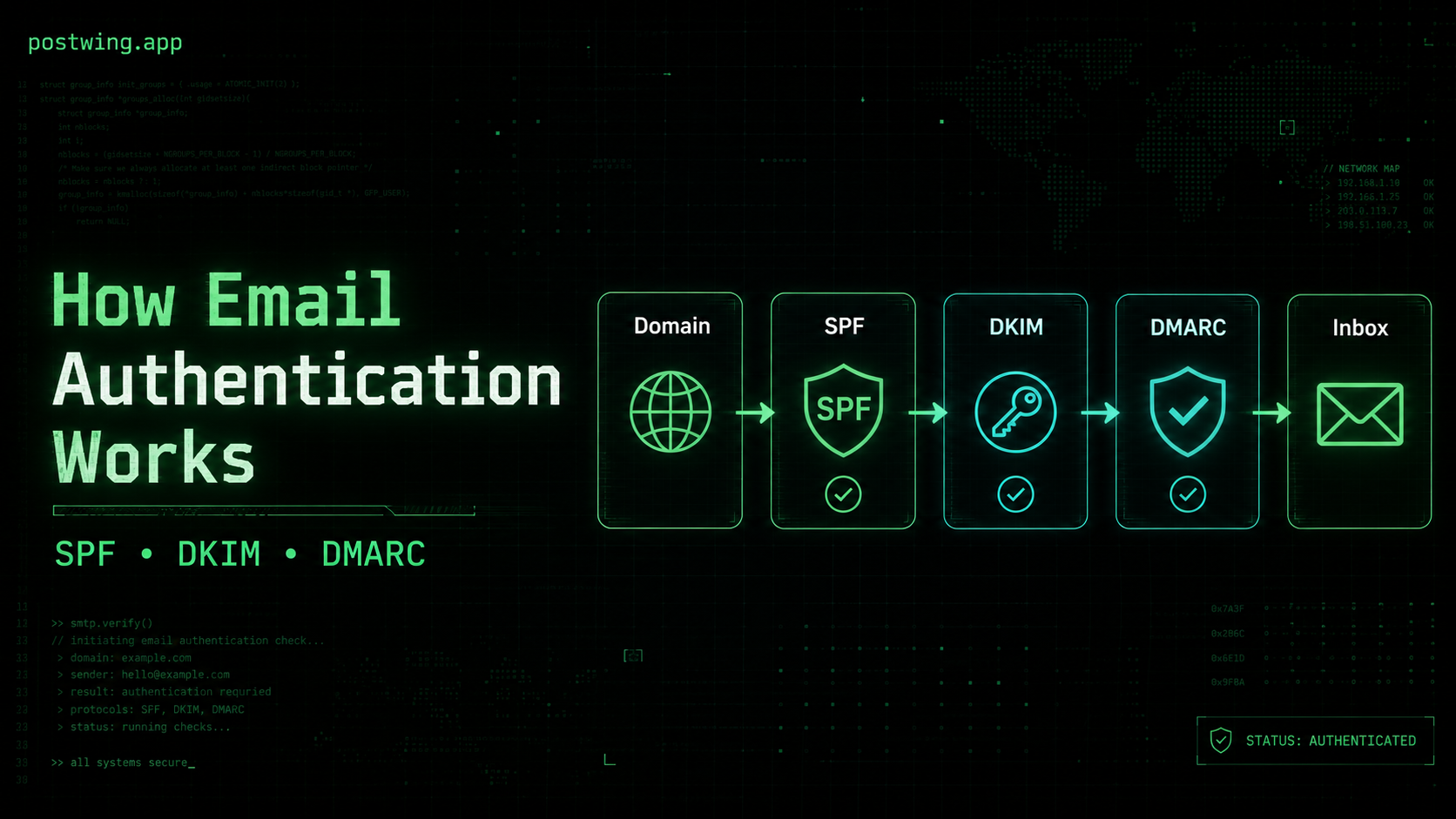
If your transactional emails land in spam, get silently dropped, or trigger "via" warnings in Gmail, the root cause is almost always email authentication. SPF, DKIM, and DMARC are the three DNS-based standards that let receiving mail servers verify that a message claiming to be from yourdomain.com actually came from a server you authorized — and that it wasn't tampered with in transit. Get them right and your password resets, receipts, and verification codes reach the inbox. Get them wrong and a single misconfigured record can quietly destroy your deliverability.
This guide explains how SPF, DKIM, and DMARC work together, shows you the exact DNS records to publish, and walks through the mistakes that trip up most engineering teams. It's written for SaaS founders, software engineers, and CTOs who need email to just work — without becoming part-time email administrators.
What Is Email Authentication?
Email authentication is a set of protocols that prove an email is legitimately from the domain it claims to be from. The original SMTP protocol, designed in the early 1980s, has no built-in identity verification — anyone can connect to a mail server and claim to be support@yourbank.com. That open design is why phishing and spoofing remain the most common attack vectors today.
The three core standards solve this problem from different angles:
| Standard | What it verifies | Where it's published | Year standardized |
|---|---|---|---|
| SPF | Which servers are allowed to send for your domain | DNS TXT record | 2014 (RFC 7208) |
| DKIM | That the message wasn't altered and came from your domain | DNS TXT record + email header signature | 2011 (RFC 6376) |
| DMARC | What receivers should do when SPF/DKIM fail, plus reporting | DNS TXT record | 2015 (RFC 7489) |
Think of it like a sealed, signed letter:
- SPF is the approved list of post offices allowed to mail on your behalf.
- DKIM is the wax seal that proves the letter wasn't opened and resealed.
- DMARC is the instruction to the recipient: "if the post office isn't on my list and the seal is broken, reject the letter — and send me a report either way."
None of these is optional anymore. Since February 2024, Google and Yahoo require SPF, DKIM, and DMARC for bulk senders, and they increasingly scrutinize transactional senders too. Microsoft began enforcing similar requirements for high-volume senders in 2025.
How SPF Works (Sender Policy Framework)
SPF lets you publish a list of IP addresses and servers authorized to send email on behalf of your domain. When a receiving server gets a message, it looks up the SPF record of the domain in the Return-Path (also called the envelope sender or MAIL FROM) and checks whether the connecting IP is on the approved list.
The SPF DNS record
An SPF record is a single DNS TXT record on your sending domain. Here's a typical one:
yourdomain.com. IN TXT "v=spf1 include:_spf.postwing.app include:_spf.google.com -all"
Breaking that down:
v=spf1— declares this is an SPF version 1 record.include:_spf.postwing.app— authorizes Postwing's sending infrastructure.include:_spf.google.com— authorizes Google Workspace to send (for your regular business mail).-all— the qualifier that tells receivers what to do with everything else.
SPF qualifiers explained
The trailing mechanism is the most important and most misunderstood part of SPF:
| Qualifier | Meaning | Behavior on failure |
|---|---|---|
-all |
Hard fail | Reject unauthorized senders. Strongest. |
~all |
Soft fail | Accept but mark suspicious. Common during rollout. |
?all |
Neutral | No opinion. Provides almost no protection. |
+all |
Pass all | Allows anyone to send. Never use this. |
Start with ~all while you confirm every legitimate sender is included, then tighten to -all once you're confident.
The SPF 10-lookup limit
SPF has a hard rule that catches almost every growing team: a maximum of 10 DNS lookups per evaluation. Each include, a, mx, ptr, and redirect mechanism counts. Exceed 10 and SPF returns a permerror, which most receivers treat as a failure — silently breaking authentication for all your mail.
A common cause is stacking too many providers:
# This can easily blow past 10 lookups
"v=spf1 include:_spf.google.com include:servers.mcsv.net include:sendgrid.net include:_spf.salesforce.com include:mail.zendesk.com -all"
To stay under the limit, use SPF flattening (replacing includes with their resolved IP ranges) or consolidate senders. A well-designed provider like Postwing publishes a single, lookup-efficient include so you don't burn your budget on one vendor.
SPF's weakness: it breaks on forwarding
SPF checks the envelope sender's IP. When an email is forwarded, the forwarding server becomes the new sending IP — which isn't on your SPF list — so SPF fails. This is why SPF alone is not enough, and why DKIM and DMARC exist.
How DKIM Works (DomainKeys Identified Mail)
DKIM uses public-key cryptography to attach a tamper-proof digital signature to every outgoing message. Unlike SPF, which checks the connection, DKIM verifies the content and headers of the email itself — so it survives forwarding.
The signing and verification flow
- Your sending server (or provider) generates a private/public key pair.
- The public key is published as a DNS TXT record at a "selector" subdomain.
- For each outgoing email, the server hashes selected headers and the body, then signs that hash with the private key, adding a
DKIM-Signatureheader. - The receiving server reads the signature, fetches your public key from DNS, and verifies the signature mathematically.
If the body or signed headers were altered in transit, verification fails.
The DKIM DNS record
The public key lives at <selector>._domainkey.yourdomain.com. The selector lets you run multiple keys (e.g., per provider or for key rotation):
pw1._domainkey.yourdomain.com. IN TXT "v=DKIM1; k=rsa; p=MIGfMA0GCSqGSIb3DQEBAQUAA4GNADCBiQKBgQC7..."
And the resulting header on a signed message looks like this:
DKIM-Signature: v=1; a=rsa-sha256; c=relaxed/relaxed;
  d=yourdomain.com; s=pw1;
  h=from:to:subject:date:message-id;
  bh=2jUSOH9NhtVGCQWNr9BrIAPreKQjO6Sn7XIkfJVOzv8=;
  b=AuUoFEfDxTDkHlLXSZEpZj79LICXz...
Key fields:
d=— the signing domain.s=— the selector pointing to the public key.bh=— the body hash.b=— the actual cryptographic signature.
DKIM key length and rotation
Use 2048-bit RSA keys, not 1024-bit. Google now flags messages signed with short keys, and 1024-bit keys are considered weak. Rotate keys periodically (every 6–12 months is a reasonable cadence) by publishing a new selector before retiring the old one — this avoids any signing gap.
How DMARC Works (Domain-based Message Authentication)
DMARC ties SPF and DKIM together and adds two critical capabilities: a published policy telling receivers what to do with failures, and aggregate reporting so you can see who's sending mail as your domain.
Alignment: the concept that makes DMARC work
DMARC introduces the concept of alignment. It's not enough for SPF or DKIM to merely pass — the domain they authenticate must align with the domain in the visible From: header that users actually see.
- SPF alignment: the
Return-Pathdomain matches theFrom:domain. - DKIM alignment: the DKIM
d=domain matches theFrom:domain.
DMARC passes if at least one of SPF or DKIM passes and is aligned. This is why a forwarded email can still pass DMARC: even if SPF breaks, an aligned DKIM signature survives.
Alignment can be strict (exact domain match) or relaxed (organizational domain match — e.g., mail.yourdomain.com aligns with yourdomain.com). Relaxed is the default and the right choice for most teams.
The DMARC DNS record
DMARC is published at _dmarc.yourdomain.com:
_dmarc.yourdomain.com. IN TXT "v=DMARC1; p=reject; rua=mailto:dmarc@yourdomain.com; pct=100; adkim=r; aspf=r; fo=1"
| Tag | Purpose | Common values |
|---|---|---|
p |
Policy for failures | none, quarantine, reject |
rua |
Address for aggregate reports | a mailbox you monitor |
ruf |
Address for forensic reports | optional, privacy-sensitive |
pct |
Percentage of mail the policy applies to | 1–100 |
adkim |
DKIM alignment mode | r (relaxed) or s (strict) |
aspf |
SPF alignment mode | r or s |
sp |
Policy for subdomains | inherits p if omitted |
The three DMARC policies
p=none— Monitor only. Receivers take no action but send you reports. Always start here.p=quarantine— Send failing mail to spam/junk.p=reject— Reject failing mail outright. This is the goal.
Roughly 70% of domains that publish a DMARC record never move past p=none, which means they get reporting but no actual protection against spoofing. Your target should be p=reject once your reports show all legitimate mail passing.
Step-by-Step: Setting Up SPF, DKIM, and DMARC
Here's a practical rollout sequence that won't break your existing mail flow.
1. Inventory every service that sends as your domain
Before publishing anything, list every sender: your email provider (Google/Microsoft), your transactional provider (Postwing), your CRM, your support desk, your marketing tool, your billing platform. Each one needs to be authorized.
2. Publish SPF
Combine all authorized senders into one record and start with a soft fail:
yourdomain.com. IN TXT "v=spf1 include:_spf.postwing.app include:_spf.google.com ~all"
Verify it resolves and stays under 10 lookups using a checker tool.
3. Enable DKIM
Generate keys in your provider's dashboard. Postwing, for example, gives you the exact TXT records to paste. Publish each provider's selector:
pw1._domainkey.yourdomain.com.  IN  TXT  "v=DKIM1; k=rsa; p=MIGfMA0GCSqGSIb3..."
google._domainkey.yourdomain.com.  IN  TXT  "v=DKIM1; k=rsa; p=MIIBIjANBgkq..."
Send a test email to a Gmail account, open Show original, and confirm DKIM: 'PASS'.
4. Publish DMARC in monitoring mode
Start with p=none so nothing gets blocked while you observe:
_dmarc.yourdomain.com. IN TXT "v=DMARC1; p=none; rua=mailto:dmarc@yourdomain.com; adkim=r; aspf=r"
5. Read your reports, then enforce
DMARC aggregate (rua) reports arrive as XML, typically daily. Use a DMARC monitoring service to make them readable. Once reports show 100% of your legitimate mail passing with alignment, ramp up:
p=none → p=quarantine; pct=25 → p=quarantine; pct=100 → p=reject
Give each stage a week or two. This gradual rollout is the single most reliable way to reach p=reject without losing real email.
How to Verify Authentication Passes
The fastest check is the Show original view in Gmail (or View message source in Outlook). Look for:
SPF:    PASS with IP 203.0.113.10
DKIM:   'PASS' with domain yourdomain.com
DMARC:  'PASS'
For command-line verification, you can inspect the published records directly:
# Check SPF
dig +short TXT yourdomain.com

# Check DKIM for a given selector
dig +short TXT pw1._domainkey.yourdomain.com

# Check DMARC
dig +short TXT _dmarc.yourdomain.com
You can also send a message to a free authentication-check mailbox (such as the ones offered by mail-tester or Google's Postmaster Tools) to get a full pass/fail breakdown.
Common Mistakes With SPF, DKIM, and DMARC
These are the errors that quietly wreck deliverability — even for teams that think they've set everything up correctly.
Publishing multiple SPF records
A domain may have only one SPF record. Two v=spf1 TXT records cause a permerror and SPF fails entirely. If you add a new provider, merge its include into your existing record — never create a second one.
Exceeding the 10-lookup limit
As covered above, stacking too many include: mechanisms breaks SPF silently. Audit your lookup count whenever you add a sender.
Using +all or ?all
+all authorizes the entire internet to send as you. ?all provides no protection. Always end with ~all (during rollout) or -all (in production).
Forgetting subdomains
If you send transactional mail from mail.yourdomain.com but only authenticate yourdomain.com, the subdomain mail fails. Set the sp tag in DMARC and publish records for each sending subdomain.
Jumping straight to p=reject
Going from no DMARC to p=reject without monitoring will reject legitimate mail from senders you forgot to authorize. Always start at p=none and read reports first.
Ignoring DMARC reports
The reports exist for a reason: they reveal shadow IT (that marketing tool someone signed up for), spoofing attempts, and misconfigured senders. A p=none record you never look at protects nothing.
Mismatched From and Return-Path domains
Many "set it and forget it" failures come from alignment, not authentication. SPF can pass while DMARC fails because the Return-Path domain doesn't match the visible From: domain. A good provider lets you use a custom Return-Path (a CNAME) on your own domain to fix this.
Letting DKIM keys go stale
A 1024-bit key from years ago, or a key your provider rotated without you updating DNS, causes signature failures. Verify your selector still resolves to a current key after any provider change.
Why This Matters for SaaS and Transactional Email
For a SaaS company, transactional email is part of the product. A password reset that never arrives is a locked-out customer. A verification code in spam is a failed signup. An invoice that bounces is delayed revenue.
The data backs this up:
- Domains with a
p=rejectDMARC policy see measurably higher inbox placement because mailbox providers treat authenticated senders as more trustworthy. - BIMI (Brand Indicators for Message Identification) — the standard that displays your logo next to authenticated emails in Gmail and Apple Mail — requires DMARC at
quarantineorreject. No DMARC, no logo, no trust signal. - Phishing using your domain damages your sender reputation even if you never sent the message. DMARC enforcement is the only thing that stops attackers from spoofing your brand.
This is also where your provider choice matters. Configuring SPF, DKIM, and DMARC correctly across multiple vendors is genuinely hard. A platform built for transactional email should hand you copy-paste DNS records, run on lookup-efficient infrastructure, and verify alignment for you — so authentication is a one-time setup, not an ongoing operations burden.
Frequently Asked Questions
Do I need all three of SPF, DKIM, and DMARC?
Yes. SPF and DKIM each authenticate one aspect of an email, and each has gaps (SPF breaks on forwarding; DKIM doesn't say what to do on failure). DMARC ties them together, enforces alignment, and gives you reporting. Modern mailbox providers like Gmail and Yahoo now require all three for reliable delivery.
What's the difference between SPF and DKIM?
SPF authorizes which servers/IPs can send for your domain by checking the connecting IP against a DNS list. DKIM cryptographically signs the message content so receivers can verify it wasn't altered and genuinely came from your domain. SPF checks the connection; DKIM checks the message. DKIM survives forwarding, SPF does not.
What happens if I don't set up email authentication?
Your transactional emails are far more likely to land in spam or be rejected outright — especially at Gmail, Yahoo, and Outlook, which now enforce authentication for senders. You also leave your domain open to spoofing and phishing, which harms your brand and sender reputation. Without DMARC, you can't display a verified logo (BIMI) either.
How long does it take for SPF, DKIM, and DMARC to work?
The DNS records themselves take effect after propagation — usually minutes to a few hours depending on your TTL. The full rollout to p=reject, however, should take a few weeks, because you need to read DMARC reports and confirm all legitimate senders pass before enforcing a strict policy.
Can SPF, DKIM, and DMARC stop all spoofing?
DMARC at p=reject stops spoofing that uses your exact domain in the From: header — the most common and damaging type. It cannot stop lookalike domains (e.g., yourdomaiin.com) or display-name spoofing, which require separate brand-protection monitoring. Authentication is necessary but not sufficient on its own.
What is a DMARC policy of p=none, and is it enough?
p=none is monitor-only: receivers report on failures but take no action. It's the correct starting point because it lets you see all your sending sources without risking real mail. It is not sufficient long-term — it offers no protection against spoofing. Your goal is to progress to p=quarantine and then p=reject.
Why does my email pass SPF but fail DMARC?
This is almost always an alignment problem. DMARC requires the SPF-authenticated Return-Path domain to match the visible From: domain (relaxed or strict). If your provider sends with their own Return-Path domain instead of yours, SPF passes but doesn't align — so DMARC fails. Using a custom Return-Path on your own domain, or relying on an aligned DKIM signature, fixes it.
How many DNS lookups does SPF allow?
SPF permits a maximum of 10 DNS lookups per evaluation. Each include, a, mx, ptr, and redirect mechanism counts toward the limit. Exceeding it produces a permerror, which most receivers treat as a failure. Use SPF flattening or consolidate senders to stay within budget.
Conclusion
Email authentication isn't a checkbox — it's the foundation of transactional email deliverability. SPF says which servers may send for you, DKIM proves your messages weren't tampered with, and DMARC enforces both and tells you who's sending as your domain. Together they're the difference between a password reset that arrives in two seconds and one that vanishes into spam.
The path is straightforward: inventory your senders, publish a single clean SPF record, enable 2048-bit DKIM signing, and roll DMARC from p=none to p=reject while reading your reports. The most common failures — multiple SPF records, blown lookup limits, alignment mismatches, and stale keys — are all avoidable once you know what to look for.
Send Authenticated Email From Day One With Postwing
Postwing is a transactional email platform built for developers and SaaS teams who want authentication done right without the operations overhead. When you add your domain, Postwing generates copy-paste SPF, DKIM, and DMARC records, runs on lookup-efficient infrastructure that won't blow your SPF budget, and verifies alignment so your mail passes DMARC the first time. Custom Return-Path support keeps SPF aligned to your domain, and 2048-bit DKIM signing is on by default.
And because Postwing accepts USDC payments on Base, you can spin up production-grade, fully authenticated transactional email without a credit card or a procurement cycle — just connect your wallet and start sending.