Why Your Password Reset Emails Go to Spam
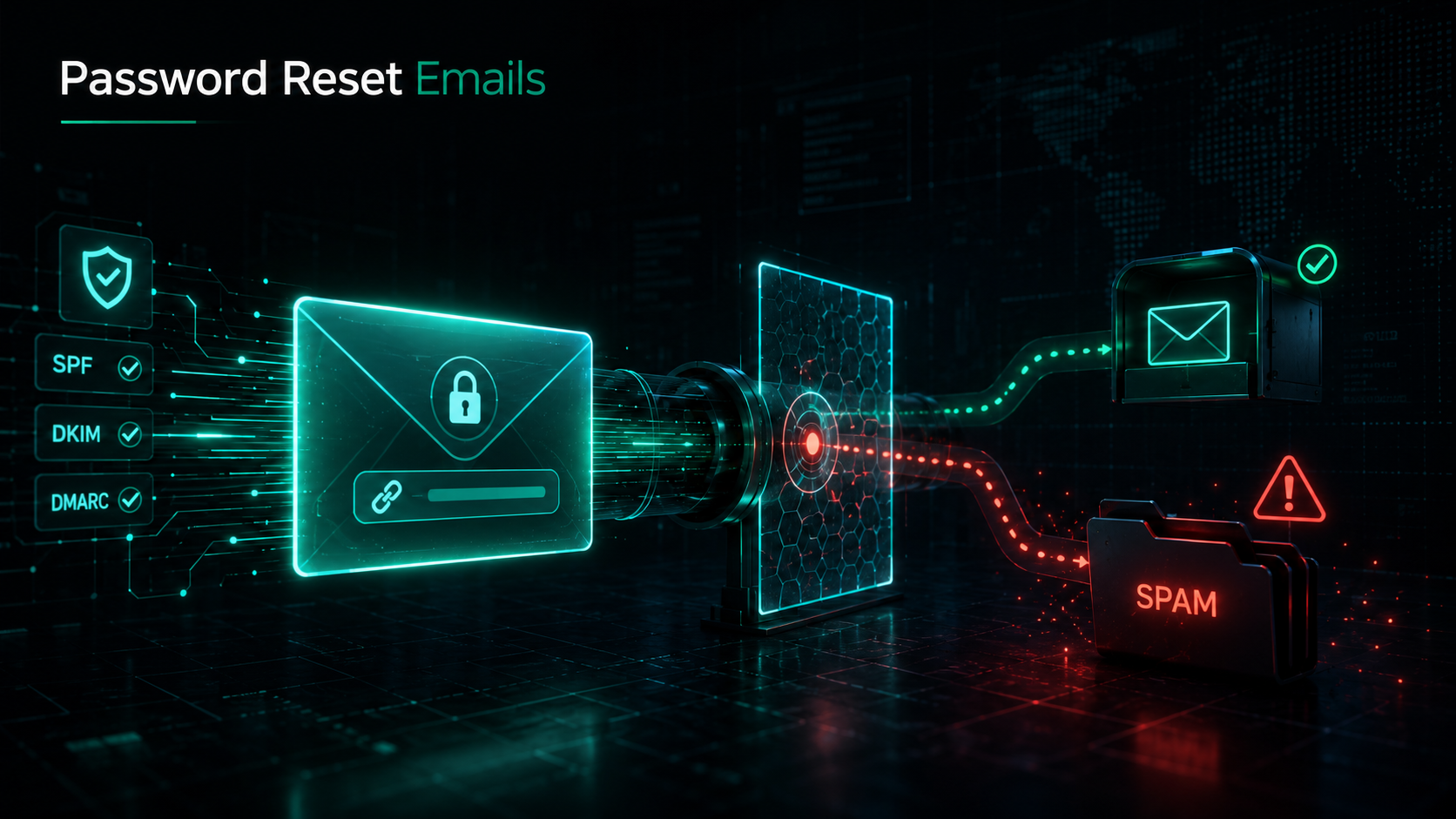
Password reset emails are the most time-sensitive messages your application sends, and they are also the ones most likely to land in spam. A user who can't find their reset link within a minute or two doesn't file a support ticket — they churn. Poor email deliverability on these critical transactional messages quietly costs SaaS companies sign-ups, retention, and revenue, and most engineering teams never see it happen because the email simply vanishes into a junk folder.
If your password reset email spam rate is high, it is almost never a coincidence or a one-off filtering glitch. It is the predictable result of authentication gaps, reputation problems, content patterns, and infrastructure choices that mailbox providers like Gmail, Outlook, and Apple Mail evaluate on every single send. The good news: every one of these factors is measurable and fixable.
This guide breaks down exactly why reset emails get filtered, how mailbox providers decide what is spam, and the concrete steps developers and SaaS teams can take to keep authentication emails in the inbox.
What "Email Deliverability" Actually Means
Email deliverability is the measure of whether your messages reach the recipient's inbox rather than the spam folder, a quarantine, or a silent drop. It is distinct from "delivery": a message can be delivered (accepted by the receiving server) but still be placed in spam, which counts against deliverability even though the SMTP transaction succeeded.
For transactional email — password resets, email verifications, magic links, receipts — deliverability is the entire product. Unlike marketing email, where a 2% open rate dip is a nuisance, a reset email that lands in spam blocks a user from accessing their account right now.
Three layers determine whether a reset email reaches the inbox:
| Layer | What it controls | Who evaluates it |
|---|---|---|
| Authentication | Proof the message is really from your domain | SPF, DKIM, DMARC checks at the receiving server |
| Reputation | History of your sending IP and domain | Mailbox providers, blocklists |
| Content & engagement | The message body, links, and how users react | Spam filters, machine-learning models |
A failure at any layer can route your reset email to spam. Most teams obsess over content while ignoring authentication and reputation — which is backwards, because authentication failures are the single most common cause of password reset email spam.
Why Password Reset Emails Are Especially Vulnerable
Reset emails have characteristics that spam filters are trained to distrust:
- Urgent, action-driven language — "Reset your password now," "This link expires in 15 minutes." Urgency and deadlines are classic phishing signals.
- A single prominent link or button — Phishing emails are built around one call-to-action link. So are reset emails.
- Sent to users who may not be expecting them — A reset triggered days after sign-up arrives with no recent engagement to vouch for it.
- Often sent from a separate IP or subdomain — Many teams route transactional mail through a different path than their main domain, fragmenting reputation.
- Spiky, irregular volume — Reset volume jumps during a breach scare or a login outage, and sudden spikes look like compromise to filters.
In short, a legitimate password reset email and a credential-phishing attempt look structurally similar. That is exactly why your authentication and reputation signals have to be airtight — they are what tell the mailbox provider "this urgent link email is genuinely from the domain it claims."
Reason 1: Broken or Missing Email Authentication
Authentication is the foundation of email deliverability, and it is where most password reset spam problems originate. Modern mailbox providers — especially Gmail and Yahoo, following their 2024 bulk-sender requirements — increasingly reject or junk mail that fails authentication outright.
There are three records you must get right.
SPF (Sender Policy Framework)
SPF is a DNS TXT record that lists which servers are authorized to send mail for your domain. When a receiving server gets your reset email, it checks whether the sending IP is in your SPF record.
v=spf1 include:_spf.postwing.app -all
Common SPF failures that send reset emails to spam:
- Too many DNS lookups. SPF allows a maximum of 10 DNS lookups. Chaining many
include:mechanisms (every vendor you've ever added) blows past the limit and causes apermerror, which filters treat as a failure. ~allinstead of-all. A soft-fail (~all) tells receivers "probably not authorized, but accept anyway." A hard-fail (-all) is a stronger, more trusted signal.- Sending from a new provider without updating SPF. Switch ESPs and forget to update the record, and every email fails SPF instantly.
DKIM (DomainKeys Identified Mail)
DKIM adds a cryptographic signature to each message using a private key; the receiver verifies it against a public key published in your DNS. DKIM proves the message wasn't altered in transit and genuinely originated from your domain.
selector._domainkey.yourdomain.com TXT "v=DKIM1; k=rsa; p=MIGfMA0GCSq..."
DKIM is more important than SPF because it survives forwarding. If a user forwards your reset email or it passes through a mailing list, SPF often breaks but a valid DKIM signature still authenticates. Reset emails with no DKIM signature are heavily penalized.
DMARC (Domain-based Message Authentication, Reporting & Conformance)
DMARC ties SPF and DKIM together and tells receivers what to do when authentication fails. It requires alignment — the domain in the From: header must match the authenticated domain.
_dmarc.yourdomain.com TXT "v=DMARC1; p=reject; rua=mailto:dmarc@yourdomain.com; adkim=s; aspf=s"
| DMARC policy | Effect | Recommendation |
|---|---|---|
p=none |
Monitor only, no enforcement | Start here to gather reports |
p=quarantine |
Failing mail goes to spam | Intermediate step |
p=reject |
Failing mail is rejected outright | Target for transactional domains |
A published DMARC record with at least p=quarantine is now effectively mandatory for bulk senders to Gmail and Yahoo. Without it, your reset emails are increasingly likely to be junked regardless of content.
Featured-snippet answer: Password reset emails go to spam most often because of failed email authentication — missing or misconfigured SPF, DKIM, and DMARC records. Fixing these three DNS records resolves the majority of deliverability problems for transactional email.
Reason 2: Poor Sender Reputation
Even perfectly authenticated email lands in spam if the sending domain or IP has a poor reputation. Mailbox providers maintain a reputation score for both, built from your sending history.
Shared IP contamination
If you send through a shared IP pool — common on entry-level email plans — your deliverability is hostage to every other sender on that IP. One spammer on the pool can drag your reputation down even when your own practices are flawless. For volume senders, a dedicated IP with proper warm-up isolates your reputation.
Domain reputation and subdomains
Domain reputation now matters more than IP reputation at most providers. A best practice is to separate your sending streams by subdomain:
mail.yourdomain.comfor transactional (resets, receipts)news.yourdomain.comfor marketing
This way, an aggressive marketing campaign that triggers spam complaints can't poison the reputation of the subdomain carrying your password reset emails. Keep your transactional subdomain pristine.
Blocklists
Your IP or domain can land on a blocklist (Spamhaus, Barracuda, SpamCop) after spam complaints, hitting spam traps, or a compromised account blasting mail. Listed senders see deliverability collapse. Monitor your status and have a remediation/delisting process ready.
Reason 3: Content and Formatting Triggers
Reset email content can trip spam filters even when authentication and reputation are solid. Spam-detection engines like SpamAssassin score messages against hundreds of rules.
Common content triggers in password reset emails:
- Image-only or image-heavy emails. A reset email that is one big banner image with little text reads as evasion. Maintain a healthy text-to-image ratio.
- URL shorteners and mismatched links. Never use bit.ly-style shorteners in reset links — they hide the destination and are a phishing hallmark. Display URLs must match their
href. - Link domains that differ from your sending domain. If you send from
yourdomain.combut the reset link points toapp-reset-3847.cloudfront.net, filters flag the mismatch. - Spam-trigger phrases. "Click here immediately," "Verify your account now or it will be deleted," excessive capitalization, and multiple exclamation marks all raise the score.
- Broken HTML. Malformed or unclosed tags and bloated nested-table markup increase spam scores.
- Missing plain-text part. Always send a
multipart/alternativemessage with both HTML and plain text. HTML-only emails look more suspicious.
A clean reset email structure
Here's what a deliverability-friendly password reset email body looks like — clear text, one obvious link on your own domain, and a plain-text fallback:
Subject: Reset your password

Hi Alex,

We received a request to reset the password for your account.
Click the link below to choose a new password. This link
expires in 30 minutes.

https://yourdomain.com/reset?token=eyJhbGciOi...

If you didn't request this, you can safely ignore this email —
your password won't change.

— The YourApp Team
Note the absence of urgency-baiting language, the link on the sending domain, and the reassuring "if you didn't request this" line — which also reduces complaints.
Reason 4: Infrastructure and Sending Patterns
How you send matters as much as what you send.
Sending reset email from your app server
Sending SMTP directly from your application server is one of the most common causes of password reset spam. App servers usually run on cloud IPs (AWS, GCP, DigitalOcean) that are widely blocklisted because so much spam originates from them. They also lack the authentication setup, feedback loops, and reputation management a dedicated sending service provides.
Use a transactional email API or relay built for deliverability instead of raw SMTP from your app.
No bounce or complaint handling
If you keep emailing addresses that hard-bounce, or ignore spam complaints via feedback loops, your reputation erodes fast. A real sending platform processes bounces and complaints automatically and suppresses bad addresses.
TLS and connection quality
Mailbox providers expect opportunistic TLS on the SMTP connection. Sending unencrypted, or with misconfigured reverse DNS (PTR records), signals a low-quality sender.
| Infrastructure factor | Spam risk | Fix |
|---|---|---|
| SMTP direct from app server | High | Use a transactional email API |
| No PTR / reverse DNS | Medium | Set PTR matching your sending hostname |
| No bounce handling | High | Automatic suppression lists |
| No TLS on connection | Medium | Enable opportunistic TLS |
| Shared IP with spammers | High | Dedicated IP or reputable provider |
A Practical Deliverability Checklist for Reset Emails
Run through this before your next deploy. Each item maps directly to one of the spam causes above.
- SPF — Published, under 10 DNS lookups, ends in
-all, includes your current ESP. - DKIM — Signing enabled on the exact domain in your
From:header; key length 1024-bit minimum (2048 preferred). - DMARC — Published at
p=quarantineorp=rejectwith aligned SPF/DKIM. - Dedicated subdomain — Transactional mail isolated from marketing.
- Reverse DNS (PTR) — Set and matching your sending hostname.
- From address — A real, monitored address (not
noreply@on a domain you can't receive replies to). A consistent, recognizableFrom:improves engagement. - Plain-text part — Every reset email is
multipart/alternative. - Links on your own domain — No shorteners, no mismatched destinations.
- Bounce & complaint handling — Automatic suppression in place.
- Monitoring — DMARC reports reviewed, blocklist status checked, deliverability tested across Gmail/Outlook/Apple.
How to Test Whether Your Reset Emails Reach the Inbox
You can't fix what you don't measure. Use these methods:
- Seed-list / inbox-placement testing. Tools like Mail-Tester, GlockApps, or your provider's seed testing send to a set of monitored inboxes across providers and report where each lands. Mail-Tester also gives you a SpamAssassin score and flags content issues.
- Send to your own accounts. Trigger a real reset to Gmail, Outlook, Yahoo, and iCloud test accounts and check the placement. Cheap and revealing.
- Read the headers. Open the raw message and inspect
Authentication-Results. You want to seespf=pass,dkim=pass, anddmarc=pass.
Authentication-Results: mx.google.com;
  dkim=pass header.i=@yourdomain.com;
  spf=pass smtp.mailfrom=mail.yourdomain.com;
  dmarc=pass (p=REJECT) header.from=yourdomain.com
Three passes is the baseline. If any line shows fail, softfail, or none, you've found your problem.
- Monitor DMARC aggregate reports. They tell you which sources are sending as your domain and whether they authenticate — exposing both misconfigured services and spoofing attempts.
Code Example: Sending a Reset Email via a Transactional API
Here's how sending a reset email through a deliverability-focused API looks in practice, compared to raw SMTP. The API handles authentication, reputation, bounce processing, and retries for you.
import requests

def send_password_reset(email: str, reset_token: str):
    reset_url = f"https://yourdomain.com/reset?token={reset_token}"

    response = requests.post(
        "https://api.postwing.app/v1/messages",
        headers={"Authorization": "Bearer YOUR_API_KEY"},
        json={
            "from": "YourApp <support@mail.yourdomain.com>",
            "to": email,
            "subject": "Reset your password",
            "text": (
                "We received a request to reset your password.\n\n"
                f"Reset it here (expires in 30 min): {reset_url}\n\n"
                "Didn't request this? You can ignore this email."
            ),
            "html": render_reset_html(reset_url),
        },
        timeout=10,
    )
    response.raise_for_status()
    return response.json()
The key wins over SMTP-from-app-server: the request goes out from an IP pool with established reputation, the message is automatically DKIM-signed for mail.yourdomain.com, bounces and complaints are tracked, and you get a message ID to trace delivery. None of that exists when you smtplib.sendmail() from your web server.
Common Mistakes That Send Reset Emails to Spam
Even experienced teams repeat these. Avoid them.
- Using
~all(soft-fail) in SPF instead of-all. Weakens the authentication signal; switch to hard-fail once you've confirmed all legitimate senders are included. - Skipping DKIM because "SPF is enough." It isn't. DKIM survives forwarding and is weighted more heavily. Sign every reset email.
- Leaving DMARC at
p=noneforever. Monitoring is the start, not the goal. Move to enforcement so spoofers can't impersonate your reset emails. - Sending transactional and marketing from the same domain/IP. One bad campaign tanks your reset deliverability. Separate the streams by subdomain.
- Sending SMTP directly from the app server. Cloud IPs are pre-distrusted. Use a transactional sending service.
From: noreply@on an unmonitored domain. Hurts engagement and means you miss replies. Use a real, monitored sender address.- Ignoring bounces and complaints. Repeatedly mailing dead addresses or spam-complainers destroys reputation. Suppress them automatically.
- Urgency-bait subject lines. "URGENT: Reset NOW!!!" is a phishing pattern. Keep it calm: "Reset your password."
- Not testing across providers. Gmail, Outlook, and Apple filter differently. Test all three before assuming you're fine.
- Forgetting to update DNS after switching ESPs. A provider change without an SPF/DKIM update means instant authentication failure.
FAQ
Why do my password reset emails go to spam but my marketing emails don't?
Usually because the two streams share a domain or IP and the transactional path was set up as an afterthought. Reset emails often get sent directly from the app server (a blocklisted cloud IP) or without proper DKIM signing, while the marketing email goes through a configured ESP. Reset emails also structurally resemble phishing — one urgent link — so they're held to a higher authentication standard. Isolate transactional mail on a dedicated, fully authenticated subdomain.
How do I check if my email authentication is set up correctly?
Send a test email to a Gmail account, open it, and view the original/raw source. Look at the Authentication-Results header — you want spf=pass, dkim=pass, and dmarc=pass. You can also use Mail-Tester (send to the address it gives you and get a 0–10 score) or check DNS records directly with dig TXT yourdomain.com for SPF and dig TXT _dmarc.yourdomain.com for DMARC.
Does sending password reset emails from my app server hurt deliverability?
Yes, significantly. Application servers run on cloud provider IPs (AWS, GCP, DigitalOcean) that are widely blocklisted because so much spam originates from them, and they lack DKIM signing, feedback loops, and reputation management. Route reset emails through a transactional email API or relay built for deliverability instead of calling smtplib directly from your web server.
What's the single most important fix for password reset email spam?
Email authentication — specifically getting SPF, DKIM, and DMARC all passing with proper alignment. Authentication failures are the most common cause of reset emails being junked, especially after Gmail and Yahoo's 2024 bulk-sender requirements. If you fix only one thing, make sure DKIM is signing on the exact domain in your From: header and DMARC is published at p=quarantine or stricter.
Should I use a dedicated IP for transactional emails?
It depends on volume. At high, steady volume (tens of thousands of messages a day or more), a properly warmed dedicated IP gives you full control over your reputation. At lower volume, a dedicated IP can actually hurt you because there isn't enough traffic to establish a reputation — a reputable shared pool is better. More important than IP type is separating transactional mail onto its own authenticated subdomain.
Why do reset emails sometimes arrive late or not at all?
Late or missing reset emails usually trace to one of three things: greylisting (the receiver temporarily defers a first-time sender and accepts on retry), reputation throttling (the provider rate-limits a low-reputation sender), or a soft bounce that your system didn't retry. A transactional email service with automatic retries and good reputation minimizes all three. If emails never arrive, check that they aren't being silently dropped due to a DMARC p=reject authentication failure.
Will a DMARC policy of p=reject block my legitimate reset emails?
Only if those emails fail authentication — which is the point. Before moving to p=reject, run at p=none and review the aggregate (rua) reports to confirm every legitimate sending source passes SPF or DKIM with alignment. Once your reports are clean, p=reject blocks spoofers impersonating your reset emails without touching your real mail. Always make this transition gradually: none → quarantine → reject.
How long does it take to fix reset email deliverability?
DNS authentication fixes (SPF, DKIM, DMARC) propagate within minutes to a few hours and improve deliverability almost immediately. Reputation repair takes longer — days to weeks — if your domain or IP was already damaged by spam complaints or blocklisting. Content and infrastructure fixes (clean templates, dedicated subdomain, a proper sending service) take effect on the next send.
Conclusion
Password reset emails go to spam for reasons that are entirely within your control. The pattern is consistent: failed or missing authentication, a fragmented or damaged sender reputation, phishing-like content, and sending infrastructure that mailbox providers distrust by default. Each of these is measurable, and each has a concrete fix.
Start with authentication — SPF, DKIM, and DMARC passing with alignment solves the majority of password reset email spam cases. Then isolate transactional mail on a dedicated subdomain, clean up your templates, stop sending SMTP directly from your app server, and test inbox placement across Gmail, Outlook, and Apple before you ship. Email deliverability for transactional messages isn't luck; it's the sum of these specific, verifiable decisions.
For a SaaS product, a reset link that reliably hits the inbox is the difference between a user who logs back in and one who silently leaves. Treat your authentication emails as critical infrastructure, because to your users, they are.
Send Reset Emails That Land in the Inbox with Postwing
Postwing is a transactional email delivery platform built for exactly this problem. It handles DKIM signing, reputation management, bounce and complaint suppression, and inbox-focused infrastructure out of the box — so your password reset, verification, and magic-link emails reach users instead of their spam folders.
Built for developers and SaaS teams, Postwing offers a clean API, deliverability monitoring, and authentication guidance, with billing in USDC on Base — no card required, no recurring lock-in. Point your transactional email through a sending path engineered for the inbox and stop losing users to the spam folder.