Webhooks Explained: Tracking Email Delivery Events
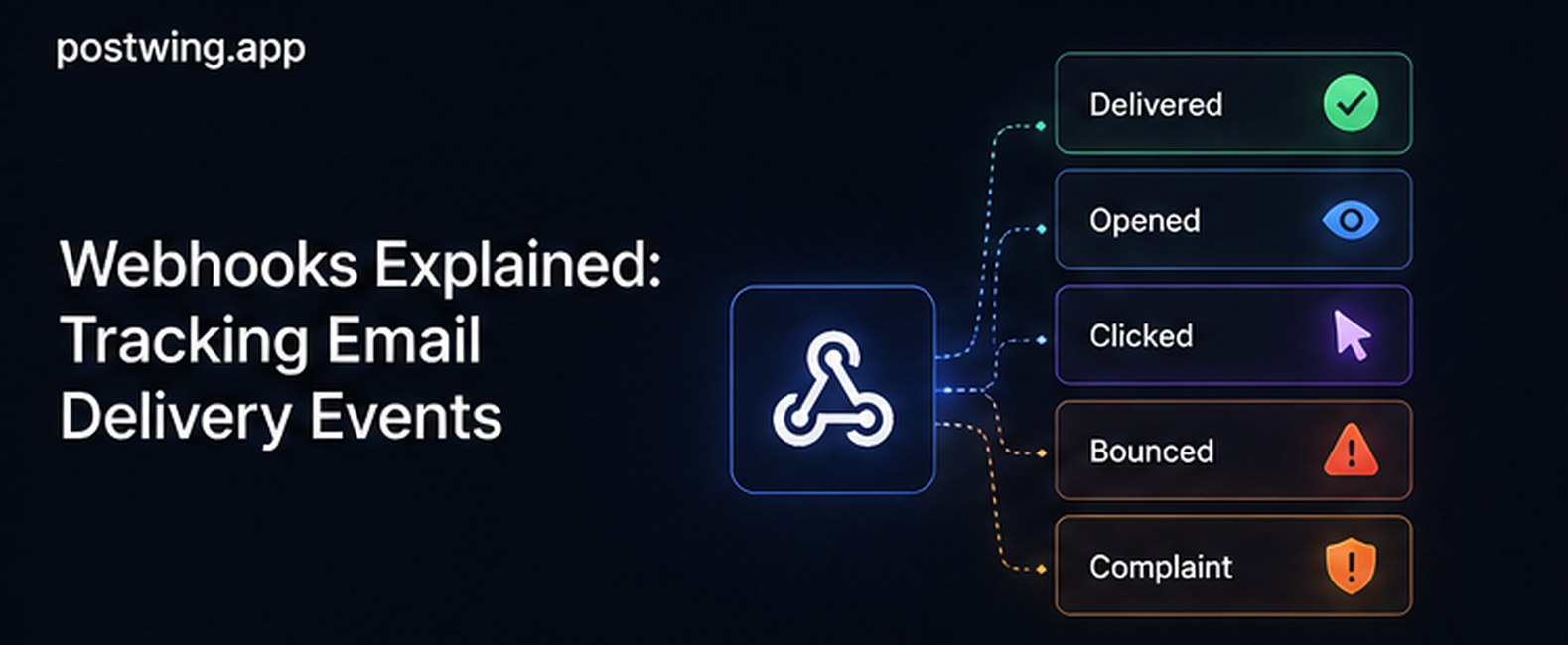
Email webhooks are HTTP callbacks that your email provider sends to your application the moment something happens to a message you dispatched — it was delivered, it bounced, the recipient opened it, or they marked it as spam. Instead of repeatedly asking the provider "what happened to that email?", your provider pushes each event to a URL you control, in near real time. For any SaaS product that depends on transactional email — password resets, receipts, verification codes — email webhooks are the only practical way to know whether your messages actually reached people.
Here's the core problem they solve: when your code calls your provider's API and gets a 200 OK, that response only confirms the message was accepted for sending. Everything that determines whether the user actually receives it — the recipient's mail server, spam filtering, greylisting, reputation checks — happens downstream, asynchronously, after your request has already returned. Delivery webhooks are how that downstream half of the email lifecycle reports back to you.
This guide is a practical, developer-focused walkthrough of how email webhooks work: the event types you'll receive, how to set up and secure a webhook endpoint, how to verify signatures so nobody can forge events, and how to handle retries and idempotency so duplicate deliveries don't corrupt your data. There are working code examples you can adapt directly.
What Are Email Webhooks?
An email webhook is a user-defined HTTP callback. You register a URL with your email provider; whenever an event occurs for one of your messages, the provider makes an HTTP POST request to that URL with a JSON payload describing the event. Your application receives it, verifies it, and reacts.
The contrast that makes webhooks valuable is push vs. pull:
- Polling (pull): your app periodically calls the provider's API asking "any updates on these 10,000 messages?" This is slow, wasteful, rate-limited, and always behind.
- Webhooks (push): the provider calls you the instant an event happens. No polling loop, no wasted requests, near-real-time data.
A Postwing webhook payload looks like this:
{
  "event_id": "a1b2c3d4-0001-4f3a-9c2e-7b6d5e4f3a21",
  "event": "delivered",
  "message_id": "<2f1c8e90-...@yourdomain.com>",
  "email": "user@example.com",
  "timestamp": "2026-06-24T09:41:13.482921+00:00",
  "data": {
    "smtp_code": 250,
    "mx_host": "mx1.recipient-domain.com"
  }
}
Every payload has the same top-level shape: a unique event_id (for idempotency — see below), the event type, the message_id of the original email, the recipient email, an ISO-8601 timestamp, and an event-specific data object (for example smtp_code/mx_host on delivery events, or reason on a dropped/unsubscribed event). Your handler reads event, ties it back to the original message via message_id, and updates state — mark the email delivered, suppress a bounced address, flag a complaint, and so on.
Email webhooks vs. delivery webhooks
These terms are often used interchangeably, but it's worth being precise. Email webhooks is the umbrella term for every event callback your provider can send, including engagement events like opens and clicks. Delivery webhooks refers specifically to the deliverability-related lifecycle events — delivered, bounced, deferred, dropped, complained — that tell you whether the message reached the inbox. Delivery webhooks are the subset that matters most for transactional email, because for a password reset you care far more about did it arrive than did they open it.
Why Email Webhooks Matter for Transactional Email
Transactional emails sit on the critical path of your product: account verification, password resets, payment receipts, login codes. When one fails, the user is blocked, and you usually find out via a support ticket — or not at all.
Without email webhooks, your visibility ends at the API response. With them, you regain control of the downstream half:
- Catch failures fast. A bounce or drop event arrives within seconds, so you can retry, alert, or fall back to SMS before the user gives up.
- Protect your sender reputation. Every
bouncedandcomplainedevent lets you auto-suppress that address. Repeatedly mailing bad addresses is the fastest way to tank deliverability. - Drive product logic. "Resend if not delivered within 5 minutes", "show a 'check your inbox' banner only after
delivered", or "escalate to SMS on bounce" all require live delivery data. - Feed monitoring and analytics. Webhook events are the raw material for delivery rate, bounce rate, and complaint rate dashboards.
Industry deliverability guidance from sources like the M3AAWG sender best practices and ISP postmaster pages (Google, Microsoft) consistently emphasizes promptly processing bounces and complaints — and webhooks are the mechanism that makes that automatic rather than manual.
Email Delivery Event Types Explained
The lifecycle is universal, even if event names vary by provider. Postwing emits the following seven events, each mapping to a real transition in the email's lifecycle.
| Event | What it means | Typical action |
|---|---|---|
delivered |
Recipient's mail server accepted the message (250 OK) |
Mark delivered; this is your success signal |
deferred |
Temporary failure; Postwing will retry (greylisting, throttling, 4xx) | Wait; only worry if it persists |
bounced |
Permanent failure (5xx / no such mailbox); not delivered | Suppress address; stop sending |
complained |
Permanent failure attributed to a spam/reputation/policy block | Immediately suppress; never re-send |
dropped |
Postwing didn't attempt send because the address is on your suppression list | Investigate; check suppression list |
opened |
Recipient opened the email (tracking pixel loaded) | Engagement analytics only |
unsubscribed |
Recipient used the unsubscribe mechanism | Honor suppression |
Note that Postwing does not emit a clicked event — it tracks opens (a tracking pixel), not individual link clicks. Both bounced and complained are permanent delivery failures; Postwing splits them out so a reputation/policy block (which you should treat as a complaint signal) is distinguishable from an ordinary hard bounce.
A few important nuances:
Hard bounce vs. soft bounce
A hard bounce is permanent — the address doesn't exist, the domain is invalid, or the server permanently rejects it. Suppress immediately. A soft bounce is temporary — mailbox full, server down, message too large. Providers usually retry soft bounces internally and only emit a bounced event once they give up. Treat a single soft bounce as noise and a pattern of them as a reputation warning.
Why "opened" is unreliable
The opened event fires when a tracking pixel (a 1×1 image) loads. But Apple Mail Privacy Protection, corporate image proxies, and privacy-focused clients pre-fetch or block these pixels. That means opens are over-counted for some recipients and never recorded for others. Use opens for rough engagement trends, never for deliverability decisions or per-user logic. For transactional email, delivered is the event that matters.
Complaints are the most dangerous event
A complained event means an ISP's feedback loop reported that the user hit "spam". Your complaint rate is one of the strongest reputation signals an ISP watches. Keep it below 0.1%; a sustained rate above 0.3% will get you throttled or blocked. Every complaint should trigger immediate, permanent suppression.
How to Set Up a Webhook Endpoint
Setting up email webhooks is a four-step process: build an endpoint, register it, verify incoming requests, and process events safely. Let's walk through each.
Step 1: Build the endpoint
Create an HTTPS route in your app that accepts POST requests and returns quickly. The golden rule: acknowledge fast, process later. Your handler should validate the request, enqueue the event for background processing, and immediately return 200. If you do heavy work synchronously — database writes, downstream API calls — you risk timing out, which causes the provider to retry and double-deliver.
Here's a minimal but production-shaped handler in Python (Flask). Note imports are at the top of the file:
import hmac
import hashlib
import json
import os
import time

from flask import Flask, request, abort, jsonify

app = Flask(__name__)

WEBHOOK_SECRET = os.environ["POSTWING_WEBHOOK_SECRET"].encode()
TOLERANCE_SECONDS = 300  # reject events older than 5 minutes


def verify_signature(payload: bytes, timestamp: str, signature: str) -> bool:
    # Reject stale requests to prevent replay attacks.
    try:
        if abs(time.time() - int(timestamp)) > TOLERANCE_SECONDS:
            return False
    except (TypeError, ValueError):
        return False

    signed_content = timestamp.encode() + b"." + payload
    expected = hmac.new(WEBHOOK_SECRET, signed_content, hashlib.sha256).hexdigest()
    # Constant-time comparison prevents timing attacks.
    return hmac.compare_digest(expected, signature)


@app.route("/webhooks/email", methods=["POST"])
def email_webhook():
    payload = request.get_data()  # raw bytes — needed for signature check
    timestamp = request.headers.get("X-Webhook-Timestamp", "")
    signature = request.headers.get("X-Webhook-Signature", "")

    if not verify_signature(payload, timestamp, signature):
        abort(401)

    event = json.loads(payload)

    # Acknowledge immediately, then process in the background.
    enqueue_event(event)
    return jsonify({"status": "ok"}), 200


def enqueue_event(event: dict) -> None:
    # Push to a queue (Celery, RQ, SQS, etc.) for async processing.
    # Keep this fast; do the real work in a worker.
    ...


if __name__ == "__main__":
    app.run(port=8080)
Step 2: Register the URL with your provider
In your provider's dashboard or API, add your endpoint URL (e.g. https://api.yourapp.com/webhooks/email) and select which events you want to receive. Subscribe only to events you actually use — there's no reason to receive opened if you're only acting on deliverability. During development, use a tunneling tool like ngrok to expose your local endpoint so you can test against real provider events.
Step 3: Verify signatures (covered next)
Never trust an unauthenticated webhook. See the section below.
Step 4: Process events asynchronously
Your background worker consumes the queued event and applies your business logic — update message status, suppress addresses, increment metrics. This keeps your HTTP handler fast and decouples acknowledgment from processing.
Securing Email Webhooks: Signature Verification
Your webhook endpoint is a public URL. Anyone who discovers it can POST fake events — forging a delivered for a message that bounced, or injecting bogus complaint events. Signature verification is how you confirm that each request genuinely came from your provider and wasn't tampered with in transit.
How signature verification works
- Your provider and you share a signing secret (issued when you create the webhook).
- For each request, the provider computes an HMAC (usually SHA-256) over the request body — often combined with a timestamp — using that secret.
- The provider sends the resulting signature in a header (e.g.
X-Webhook-Signature). - Your endpoint recomputes the HMAC over the raw received body with the same secret and compares.
- If they match, the request is authentic and untampered. If not, reject with
401.
Every Postwing webhook request carries these headers:
| Header | Purpose |
|---|---|
X-Webhook-Signature |
Hex HMAC-SHA256 of "{timestamp}.{raw_body}", keyed by your endpoint secret |
X-Webhook-Timestamp |
Unix epoch seconds when the request was signed (use for replay protection) |
X-Webhook-Event |
The event type (e.g. delivered), so you can route without parsing the body |
X-Webhook-Delivery |
The unique delivery/event id — identical to event_id in the body, for idempotency |
The signing secret is shown when you create the endpoint (and again on retrieve); rotate it any time and Postwing signs with the new value immediately. The verify_signature function in the Flask example above shows the full pattern. Three details are critical:
- Use the raw body. Compute the HMAC over the exact bytes received, before JSON parsing. Re-serializing the parsed JSON changes whitespace/key order and breaks the signature.
- Use constant-time comparison.
hmac.compare_digest(not==) prevents timing attacks that could leak the correct signature byte by byte. - Include a timestamp tolerance. Reject requests whose timestamp is older than a few minutes. This stops replay attacks, where an attacker captures a valid signed request and re-sends it later.
Node.js / Express example
const crypto = require("crypto");
const express = require("express");

const app = express();
const SECRET = process.env.POSTWING_WEBHOOK_SECRET;
const TOLERANCE = 300; // seconds

// Capture the raw body for signature verification.
app.use("/webhooks/email", express.raw({ type: "application/json" }));

function verify(rawBody, timestamp, signature) {
  if (Math.abs(Date.now() / 1000 - Number(timestamp)) > TOLERANCE) return false;
  const signed = `${timestamp}.${rawBody}`;
  const expected = crypto
    .createHmac("sha256", SECRET)
    .update(signed)
    .digest("hex");
  const a = Buffer.from(expected);
  const b = Buffer.from(signature || "");
  return a.length === b.length && crypto.timingSafeEqual(a, b);
}

app.post("/webhooks/email", (req, res) => {
  const timestamp = req.header("X-Webhook-Timestamp");
  const signature = req.header("X-Webhook-Signature");

  if (!verify(req.body, timestamp, signature)) {
    return res.status(401).send("invalid signature");
  }

  const event = JSON.parse(req.body.toString());
  enqueueEvent(event); // async processing
  res.status(200).json({ status: "ok" });
});

app.listen(8080);
Defense in depth
Signature verification is the primary control, but layer on more where you can:
- HTTPS only — never accept webhooks over plain HTTP.
- IP allowlisting — if your provider publishes static source IP ranges, restrict your endpoint to them.
- A hard-to-guess URL path — include a random token segment so the endpoint isn't trivially discoverable.
Retries and Idempotency
Webhook delivery is best-effort over an unreliable network, so two things are guaranteed to happen eventually: your endpoint will be unavailable sometimes, and you will receive the same event more than once. Handling both correctly is what separates a toy integration from a reliable one.
How retries work
If your endpoint doesn't respond with a 2xx status within the timeout (your server is down, slow, or returns an error), the provider treats the delivery as failed and retries later with increasing backoff. Postwing's schedule is 1 min, 5 min, 30 min, 2 h, 6 h, 24 h; after the last retry the delivery is marked permanently failed and is no longer attempted (you can inspect failed deliveries via the API or dashboard). The per-request timeout is 10 seconds.
Implications for your handler:
- Return
200only when you've safely accepted the event (enqueued or persisted). If you return200and then crash before saving, that event is lost forever — the provider considers it delivered. - Return a non-
2xxto trigger a retry when you genuinely can't process the event yet (e.g. your queue is down). A500or503tells the provider to try again. - Respond fast. Slow responses look like failures and cause retries even when nothing is wrong. This is why you acknowledge first and process async.
Why idempotency is non-negotiable
Because of retries, you will receive duplicate events. If your handler isn't idempotent, a retried bounced event could double-count your bounce metric, a duplicate complained could fire two suppression emails to your team, and a re-delivered billing-related event could trigger duplicate side effects.
Idempotency means processing the same event twice produces the same result as processing it once. The standard implementation uses a unique event ID:
import json

from flask import Flask, request, abort, jsonify

app = Flask(__name__)


def already_processed(event_id: str) -> bool:
    # Atomically record the event id; return True if it existed already.
    # Redis: SET event:<id> 1 NX EX 604800  -> returns None if key exists.
    # SQL:   INSERT ... ON CONFLICT DO NOTHING; check affected rows.
    ...


def handle_event(event: dict) -> None:
    event_type = event["event"]
    if event_type == "bounced":
        suppress_address(event["email"], reason="bounce")
    elif event_type == "complained":
        suppress_address(event["email"], reason="complaint")
    elif event_type == "delivered":
        mark_delivered(event["message_id"])


def process_webhook(event: dict) -> None:
    event_id = event["event_id"]  # provider-supplied unique id

    if already_processed(event_id):
        return  # duplicate — safely ignore

    handle_event(event)


def suppress_address(email: str, reason: str) -> None:
    ...


def mark_delivered(message_id: str) -> None:
    ...
The key is making already_processed atomic — a single database INSERT ... ON CONFLICT DO NOTHING or a Redis SET ... NX — so two concurrent duplicate deliveries can't both pass the check. Store processed event IDs with a TTL (7 days covers most retry windows).
Handling out-of-order events
Retries also mean events can arrive out of order — a deferred retried after the later delivered already landed. Don't assume strict ordering. Make state transitions monotonic: once a message is marked delivered, a late deferred event shouldn't downgrade it. Where order matters, key your logic off the event's own timestamp, not arrival time.
Common Email Webhook Mistakes to Avoid
Even teams that wire up email webhooks often undermine them. Watch for these.
1. Skipping signature verification
The most common — and most dangerous — mistake. An unverified endpoint is a public API that anyone can feed fake events. Always verify the HMAC signature before trusting a single field.
2. Doing heavy work synchronously
If your handler writes to multiple tables and calls downstream APIs before returning 200, it will be slow, time out, and get retried — multiplying the very work that made it slow. Acknowledge first, process in a worker.
3. Parsing the body before verifying
Frameworks that auto-parse JSON discard the raw bytes you need for the HMAC. Capture the raw body first (express.raw, request.get_data()), verify, then parse.
4. Not handling duplicates
Without idempotency, retries silently corrupt your metrics and trigger duplicate side effects. Dedupe on the provider's event_id with an atomic check.
5. Returning 200 on failure
If your queue is down, returning 200 tells the provider "got it" and the event is gone forever. Return 5xx so it retries; return 200 only after you've durably accepted the event.
6. Trusting opened for delivery decisions
Opens are inflated by some clients and invisible from others (Apple MPP, image proxies). Never gate transactional logic on opened. Use delivered.
7. Not auto-suppressing bounces and complaints
If a bounced or complained event doesn't immediately add the address to a suppression list, you'll keep mailing bad addresses and destroy your reputation. Automate it in the handler.
8. No replay protection
Without a timestamp tolerance, a captured valid request can be replayed indefinitely. Reject events older than a few minutes.
Webhooks vs. Polling: A Quick Comparison
| Aspect | Email webhooks (push) | Polling (pull) |
|---|---|---|
| Latency | Near real-time (seconds) | As slow as your poll interval |
| Efficiency | Provider calls you only on events | Constant requests, mostly empty |
| Scalability | Scales with event volume | Scales with message count × frequency |
| Rate limits | Not an issue | You'll hit them at scale |
| Setup complexity | Endpoint + verification + idempotency | Just an API loop |
| Reliability burden | You must handle retries/duplicates | Provider handles consistency |
For anything beyond a hobby project, webhooks win decisively. Polling only makes sense as a fallback to reconcile events you might have missed during downtime — pull recent events via the API to backfill, then resume relying on the push stream.
Frequently Asked Questions
What are email webhooks?
Email webhooks are HTTP callbacks your email provider sends to a URL you control whenever something happens to a message — it was delivered, bounced, opened, or marked as spam. Instead of polling the provider's API for status, you receive each event in near real time as a JSON POST request. They're the standard way to track transactional email delivery and react to failures automatically.
What is the difference between email webhooks and delivery webhooks?
"Email webhooks" is the general term for all event callbacks, including engagement events like opens and clicks. "Delivery webhooks" specifically refers to deliverability lifecycle events — delivered, bounced, deferred, dropped, and complained — that tell you whether a message reached the inbox. For transactional email, delivery webhooks are the subset that matters most.
How do I verify an email webhook is authentic?
Verify the signature. Your provider signs each request with an HMAC (usually SHA-256) computed over the raw request body using a shared secret, and sends the result in a header. On your side, recompute the HMAC over the exact raw bytes received with the same secret and compare using a constant-time function like hmac.compare_digest. If they don't match, reject the request with 401. Also enforce a timestamp tolerance to block replay attacks.
What email events can webhooks track?
Postwing sends delivered (accepted by the recipient server), deferred (temporary failure, will retry), bounced (permanent failure), complained (permanent failure from a spam/reputation/policy block), dropped (not attempted because the address is suppressed), opened (tracking pixel loaded), and unsubscribed. The deliverability events — delivered, bounced, deferred, complained — are the most important for transactional mail. (Postwing tracks opens but not link clicks, so there is no clicked event.)
How should I handle webhook retries and duplicates?
Assume you'll receive every event more than once. Make your handler idempotent by deduplicating on the provider's unique event_id using an atomic operation (a SQL INSERT ... ON CONFLICT DO NOTHING or Redis SET ... NX) before processing. Return 200 only after you've durably accepted the event; return a 5xx to trigger a retry if you can't process it yet. Store processed IDs with a TTL covering the provider's retry window (typically 7 days).
Why is my webhook endpoint receiving duplicate events?
Because webhook delivery is best-effort. If your endpoint is slow, errors, or times out, the provider can't tell whether you received the event, so it retries — sometimes after you actually did process it. Network glitches and provider-side reties also cause duplicates. This is expected behavior; the fix is idempotent processing, not trying to eliminate duplicates.
Should I trust the "opened" event for tracking delivery?
No. The opened event relies on a tracking pixel that's blocked or pre-fetched by Apple Mail Privacy Protection, corporate image proxies, and privacy-focused clients, so opens are simultaneously over-counted and under-counted. Use opens for rough engagement trends only. For knowing whether a transactional email reached the user, rely on the delivered event.
Do I need webhooks if my provider has a dashboard?
A dashboard shows you aggregate trends, but it can't drive your application logic. Webhooks let your code react automatically — suppress a bounced address, resend on failure, escalate to SMS, or update a message's status in your own database. If you need real-time, per-message reactions (and for transactional email you do), you need webhooks, not just a dashboard.
Conclusion
Email webhooks close the visibility gap between "the provider accepted my message" and "the user actually received it." That second half of the lifecycle — delivery, bounces, deferrals, complaints — happens downstream and asynchronously, invisible to your application unless you're listening. Webhooks are how you listen.
The pattern is consistent regardless of provider: build a fast HTTPS endpoint, verify every signature with a constant-time HMAC check and a timestamp tolerance, acknowledge immediately and process events in a background worker, and make that processing idempotent so retries and duplicates never corrupt your data. Get those four things right and you have a webhook integration that's secure, reliable, and ready to drive real product logic — auto-suppressing bad addresses, resending failed messages, and feeding your monitoring dashboards.
Start this week: subscribe to delivered, bounced, and complained, verify signatures, dedupe on event_id, and auto-suppress bounces and complaints. That alone puts you ahead of most SaaS products and protects your most critical user flows from failing in silence.
Track Email Delivery Events with Postwing
Postwing is a transactional email platform built for developers and SaaS companies, with email webhooks as a first-class feature. You get signed webhook events for every lifecycle stage — delivered, deferred, bounced, complained, dropped, opened, and unsubscribed — each with an HMAC-SHA256 signature for verification, a unique event_id for idempotency, and automatic retries with backoff so you never silently lose events.
Bounces and complaints feed automatic suppression, so your reputation stays protected without manual list hygiene, and built-in delivery, bounce, and complaint dashboards turn your webhook stream into the metrics that matter. Because Postwing accepts USDC payments on Base, international founders and crypto-native teams can pay without card requirements or traditional payment-rail friction.
Stop guessing whether your emails arrived. Start tracking email delivery events with Postwing →