Email Templates Best Practices for Developers
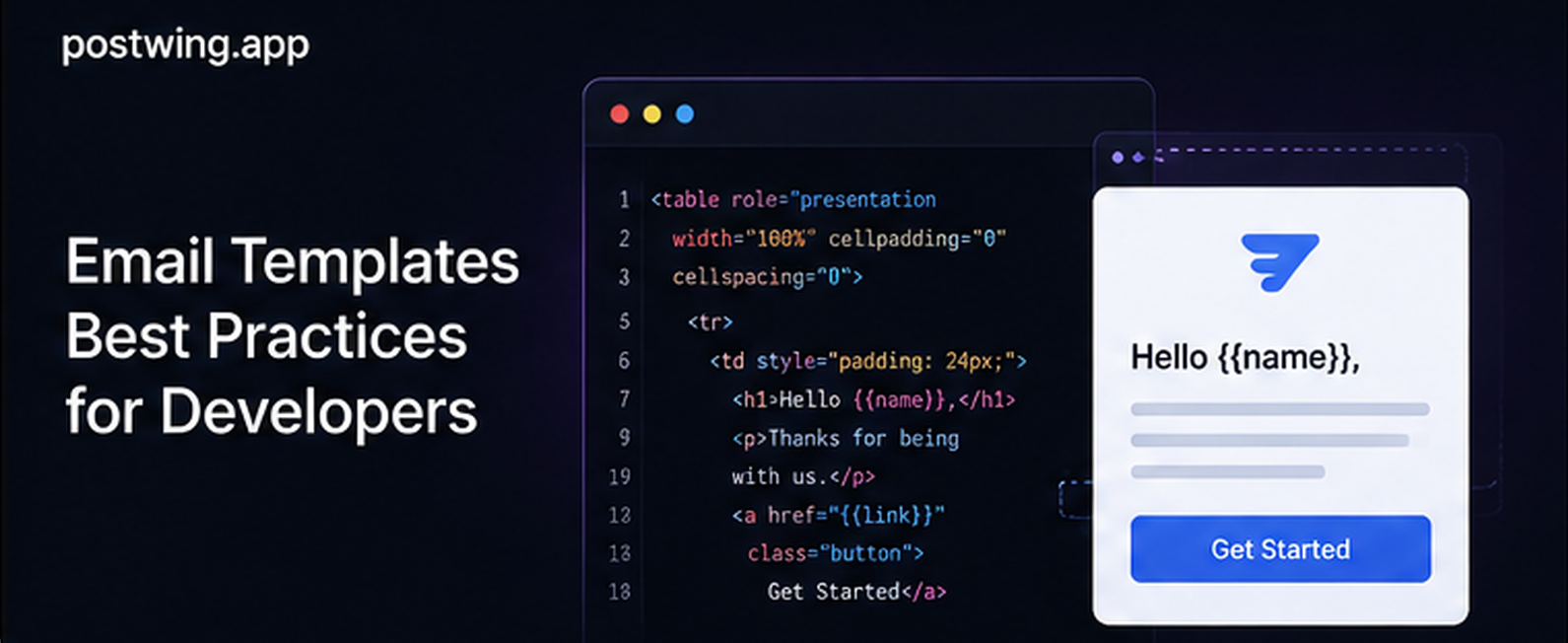
Transactional email templates are the silent workhorses of every SaaS product. Password resets, receipts, verification codes, shipping notifications, and alerts all flow through them, and unlike marketing campaigns, they are expected, time-sensitive, and tied directly to user trust. Yet most engineering teams treat transactional email templates as an afterthought, copy-pasting brittle HTML until a Gmail update breaks the layout or a screen reader user complains that the verification code is unreadable.
This guide collects the email template best practices that actually matter for developers: building responsive HTML that survives 30+ email clients, using MJML and templating engines to stay sane, shipping plain-text alternatives, getting accessibility and dark mode right, wiring up dynamic variables safely, and testing before you hit production. Every section includes code you can paste into a real project.
Why Transactional Email Templates Deserve Engineering Effort
Transactional emails have open rates between 80% and 90%, according to data widely reported across email infrastructure providers, compared to 20–30% for promotional email. A user who requests a password reset will open that message. If the layout is broken, the CTA button is invisible in dark mode, or the email lands in spam, you have a support ticket or a churned user.
The technical reality is that email rendering is stuck in the late 1990s. Email clients do not run a modern browser engine. Outlook on Windows uses Microsoft Word's HTML renderer. Gmail strips <style> tags in certain contexts and rewrites your CSS. Apple Mail is closer to a real browser but still has quirks. This is why HTML email development feels like time travel: you build with tables, inline styles, and a defensive mindset.
Getting transactional email templates right means three things working together:
- Rendering — the message looks correct everywhere it is opened.
- Deliverability — the message reaches the inbox, not spam.
- Maintainability — your team can change a template without fear.
The rest of this article is organized around those goals.
Responsive HTML Email: The Foundation
More than half of all email opens happen on mobile devices. A transactional email that requires horizontal scrolling on a phone is a failed email. Responsive HTML email is non-negotiable.
Use Tables for Layout, Not Divs
This is the single most counterintuitive rule for web developers. In email, <table> is your layout grid because Outlook ignores float, flexbox, and grid entirely. A robust single-column layout looks like this:
<!DOCTYPE html>
<html lang="en" xmlns="http://www.w3.org/1999/xhtml">
<head>
  <meta charset="utf-8">
  <meta name="viewport" content="width=device-width, initial-scale=1.0">
  <meta http-equiv="X-UA-Compatible" content="IE=edge">
  <title>Your verification code</title>
</head>
<body style="margin:0; padding:0; background-color:#f4f4f7;">
  <table role="presentation" width="100%" cellpadding="0" cellspacing="0" border="0">
    <tr>
      <td align="center" style="padding: 24px 12px;">
        <table role="presentation" width="600" cellpadding="0" cellspacing="0"
               border="0" style="max-width:600px; width:100%; background:#ffffff;
               border-radius:8px;">
          <tr>
            <td style="padding: 32px; font-family: Arial, Helvetica, sans-serif;
                       color:#1a1a1a; font-size:16px; line-height:24px;">
              <h1 style="margin:0 0 16px; font-size:22px;">Verify your email</h1>
              <p style="margin:0 0 24px;">Use the code below to finish signing in.</p>
              <p style="font-size:28px; letter-spacing:6px; font-weight:bold;
                        margin:0;">{{ code }}</p>
            </td>
          </tr>
        </table>
      </td>
    </tr>
  </table>
</body>
</html>
Key points in that snippet:
role="presentation"tells screen readers the table is for layout, not data.- Every style is inline. Email clients strip or mangle external and embedded CSS.
width="600"withmax-width:600px; width:100%keeps desktop fixed and mobile fluid.- The
viewportmeta tag enables responsive scaling on mobile.
Add Media Queries for Mobile Refinement
While inline styles handle the baseline, a <style> block in the <head> with media queries lets you refine mobile layouts in clients that support them (Apple Mail, modern Gmail apps). Always treat these as progressive enhancement — the email must still look acceptable if they are ignored.
<style>
  @media only screen and (max-width: 600px) {
    .container { width: 100% !important; }
    .px-32 { padding-left: 16px !important; padding-right: 16px !important; }
    .stack { display: block !important; width: 100% !important; }
  }
</style>
The 600px Rule
The de facto standard width for email is 600px. It fits the Outlook reading pane and scales cleanly on mobile. Do not exceed it. Keep your single content column at or below 600px and you eliminate an entire class of rendering bugs.
MJML and Templating Engines: Stop Writing Raw Table HTML
Hand-writing nested tables is error-prone and miserable to maintain. MJML is an open-source markup language by Mailjet that compiles a clean, semantic syntax down to bulletproof, responsive table HTML. It handles the Outlook conditional comments, the inlining, and the responsive math for you.
The same verification email in MJML:
<mjml>
  <mj-body background-color="#f4f4f7">
    <mj-section background-color="#ffffff" border-radius="8px" padding="32px">
      <mj-column>
        <mj-text font-size="22px" font-weight="bold">Verify your email</mj-text>
        <mj-text font-size="16px" color="#1a1a1a">
          Use the code below to finish signing in.
        </mj-text>
        <mj-text font-size="28px" font-weight="bold" letter-spacing="6px">
          {{ code }}
        </mj-text>
      </mj-column>
    </mj-section>
  </mj-body>
</mjml>
That compiles to roughly 100 lines of battle-tested HTML. MJML is the closest thing the industry has to a standard for maintainable email markup.
Combine MJML With a Templating Engine
MJML handles structure; a templating engine handles data. Most teams pair MJML with Handlebars, Liquid, Nunjucks, or their backend's native engine (Jinja2 in Python, ERB in Rails, Go's html/template). The workflow is:
- Author
.mjmlfiles with{{ variable }}placeholders. - Compile MJML → HTML at build time (or cache the compiled output).
- Render the HTML through the templating engine with per-message data at send time.
Choosing an Approach
| Approach | Maintainability | Learning curve | Best for |
|---|---|---|---|
| Raw table HTML | Low | High (quirks) | One-off, fully custom emails |
| MJML | High | Low | Most SaaS transactional email |
| Maizzle (Tailwind) | High | Medium | Teams already using Tailwind |
| React Email / JSX | High | Low for React devs | React/Next.js codebases |
| Hosted drag-and-drop builder | Medium | Low | Non-technical marketing teams |
For a developer-led SaaS, MJML or React Email are the strongest picks because templates live in your repo, get code review, and version with your application.
Plain-Text Alternatives Are Not Optional
Every transactional email should be a multipart/alternative message carrying both an HTML part and a plain-text part. Skipping the plain-text version hurts you in three ways:
- Deliverability — spam filters penalize HTML-only messages. A matching text part is a positive signal.
- Accessibility — some users and clients prefer or default to plain text.
- Fallback — smartwatches, terminal mail clients, and previews use the text part.
Do not auto-strip tags from your HTML and call it a plain-text version; the result is usually garbled. Write a deliberate text version:
Verify your email

Use the code below to finish signing in:

  482913

This code expires in 10 minutes. If you didn't request it,
you can safely ignore this email.

— The Acme Team
https://acme.app
Keep the text version's content in sync with the HTML. A good templating setup renders both from the same data so the verification code can never diverge between parts.
Accessibility: Emails Everyone Can Read
Accessibility is both an ethical requirement and, in many jurisdictions, a legal one. Transactional emails carry critical information — receipts, security codes, account changes — so they must work with screen readers and for low-vision users.
Checklist for accessible email templates:
- Set the language:
<html lang="en">so screen readers use the right pronunciation. - Use semantic headings (
<h1>,<h2>) instead of bold paragraphs so users can navigate structure. - Provide real
alttext on meaningful images; usealt=""on decorative ones so they are skipped. - Mark layout tables with
role="presentation"so they are not announced as data tables. - Maintain contrast: body text should meet WCAG AA (4.5:1 contrast ratio). Light gray text on white fails.
- Keep a minimum 14–16px body font so text is legible without zooming.
- Make links descriptive: "View your receipt" beats "click here".
- Logical reading order: the DOM order should match the visual order, since screen readers follow the source.
For tappable buttons, use a "bulletproof button" built from a styled <a> inside a table cell rather than an image, so it remains readable, clickable, and high-contrast even when images are blocked:
<table role="presentation" cellpadding="0" cellspacing="0" border="0">
  <tr>
    <td align="center" bgcolor="#2563eb" style="border-radius:6px;">
      <a href="{{ reset_url }}"
         style="display:inline-block; padding:14px 28px; font-family:Arial,sans-serif;
                font-size:16px; color:#ffffff; text-decoration:none; font-weight:bold;">
        Reset your password
      </a>
    </td>
  </tr>
</table>
Dark Mode: Designing for Both Themes
Roughly a third of users run their devices in dark mode, and email clients handle it inconsistently. Three behaviors exist in the wild:
- No change (older Outlook): your email renders as designed.
- Partial color inversion (some Gmail/Outlook): the client swaps certain backgrounds and text.
- Full custom theming (Apple Mail, iOS Mail): respects your
prefers-color-schemestyles.
The most dangerous failure mode is a dark logo or dark text on a background that the client inverts to dark — turning your content invisible. Best practices:
Declare Dark Mode Support
<meta name="color-scheme" content="light dark">
<meta name="supported-color-schemes" content="light dark">
<style>
  @media (prefers-color-scheme: dark) {
    .email-bg { background-color: #1a1a1a !important; }
    .email-text { color: #f4f4f7 !important; }
    .card { background-color: #2a2a2a !important; }
  }
</style>
Practical Dark Mode Tips
- Use transparent PNG logos with a light "halo" or provide a version that reads on both light and dark backgrounds.
- Avoid pure black (#000) and pure white (#fff) for large areas; off-black (#1a1a1a) and off-white (#f4f4f7) reduce harsh inversion artifacts.
- Test the inversion, not just your intended dark styles — clients that auto-invert ignore your media query.
- Keep buttons high-contrast in both themes; a mid-blue (#2563eb) generally survives inversion well.
Dynamic Variables: Personalization Done Safely
Transactional emails are inherently dynamic — they carry a user's name, an order total, a one-time code, a tracking link. Handling these variables correctly is where security and correctness meet.
Escape Untrusted Data
User-supplied values (display names, addresses, support messages) must be HTML-escaped when interpolated into the HTML part, or you open an HTML/CSS injection hole. Use a templating engine that auto-escapes by default (Jinja2, Handlebars {{ }}, Go html/template). Reserve "raw"/unescaped output (Handlebars {{{ }}}, Jinja | safe) only for HTML you generate yourself.
# Jinja2 auto-escapes {{ user_name }} by default — safe against injection
from jinja2 import Environment, FileSystemLoader, select_autoescape

env = Environment(
    loader=FileSystemLoader("templates"),
    autoescape=select_autoescape(["html", "xml"]),
)

html = env.get_template("receipt.html").render(
    user_name=order.customer_name,   # escaped automatically
    total=f"${order.total:.2f}",
    items=order.line_items,
)
Provide Fallbacks and Format on the Server
- Always default optional fields:
{{ first_name | default("there") }}prevents "Hi ,". - Format numbers, dates, and currency server-side in the user's locale before passing them in. Templates should display, not compute.
- Never put secrets in URLs that get logged. One-time tokens in reset links should be single-use and short-lived.
- Validate that required variables exist before sending; a missing
{{ code }}in a 2FA email is a production incident.
Keep Logic Out of Templates
Conditionals are fine ({% if invoice.discount %}), but business logic belongs in your application code. Templates that compute tax or decide eligibility become untestable and brittle. Pass in a fully prepared view-model.
Testing Transactional Email Templates
You cannot eyeball your way to correct email rendering across 30+ clients. Testing must be systematic.
Layers of Testing
| Layer | What it catches | Tools |
|---|---|---|
| Local preview | Obvious layout/data errors | MJML CLI, maildev, Mailpit, Ethereal |
| HTML/CSS linting | Unsupported CSS, broken tags | MJML validator, can-i-email checks |
| Rendering matrix | Client-specific breakage | Litmus, Email on Acid, Testi@ |
| Accessibility | Contrast, alt text, structure | axe, manual screen reader pass |
| Deliverability/spam | Spam score, SPF/DKIM/DMARC | mail-tester.com, GlockApps |
| Link & variable checks | Dead links, missing data | Automated tests in CI |
Catch Rendering Bugs in CI
Treat email templates like application code. A simple CI step can compile every MJML template, fail the build on validation errors, and run snapshot tests on the rendered HTML so an accidental change is caught in review.
# Compile and validate all templates in CI; fail on any error
mjml --validate strict templates/*.mjml -o build/

# Spam-score a representative rendered email
# (send to a mail-tester address, then assert the score via API)
Use Email Capture in Development
Tools like Mailpit or Mailhog run a local SMTP server and a web UI that catches every email your app sends in development. You see the HTML part, the text part, headers, and source without spamming real inboxes — ideal for verifying dynamic variables render correctly end to end.
Always Send a Real Test
Previews lie. Before shipping a new template, send it to real Gmail, Outlook, and Apple Mail accounts and open them on a phone. The five minutes this takes routinely catches dark-mode inversions and Outlook spacing bugs that no simulator surfaced.
Common Mistakes to Avoid
Even experienced teams repeat these errors with transactional email templates:
- Using external or embedded CSS without inlining. Gmail strips
<style>in some contexts. Inline your critical styles (or use a build step that inlines them automatically). - Layouts built with
div+ flexbox/grid. They collapse in Outlook. Use tables for structure. - No plain-text part. Hurts deliverability and accessibility; flagged by spam filters.
- Image-only emails. When images are blocked (a common default), the message is blank. Keep critical content — codes, links, CTAs — as live text.
- Hard-coded widths over 600px. Causes horizontal scroll on mobile and clipping in Outlook's reading pane.
- Ignoring dark mode. Dark text on a client-inverted dark background becomes invisible.
- Unescaped user input. An injection and rendering risk; always auto-escape untrusted variables.
- No fallback fonts. Web fonts often fail to load in email; always provide a system font stack like
Arial, Helvetica, sans-serif. - Skipping authentication. SPF, DKIM, and DMARC are not optional. Without them, even a perfect template lands in spam.
- Shipping without testing on real devices. Simulators miss client-specific quirks.
FAQ
What are transactional email templates?
Transactional email templates are reusable HTML (and plain-text) layouts for automated, user-triggered messages such as password resets, receipts, email verifications, and shipping notifications. They contain dynamic placeholders that your application fills with per-message data — a name, a code, an order total — at send time. Unlike marketing templates, they are expected by the recipient and tied to a specific action.
Should transactional email templates use tables or div-based layouts?
Use tables for layout structure. Email clients like Outlook on Windows render with Microsoft Word's engine, which does not support flexbox, grid, or float. Tables with inline styles are the only reliable cross-client layout method. You can use divs for small inner elements, but the overall column structure should be table-based.
What is MJML and should I use it?
MJML is an open-source markup language that compiles a clean, semantic syntax into responsive, cross-client table HTML. It handles Outlook conditional comments, responsive math, and many rendering quirks automatically. For developer teams that want maintainable transactional email templates in version control, MJML (or React Email) is one of the best email template best practices available today.
Do I really need a plain-text version of every email?
Yes. A multipart/alternative message with both HTML and plain-text parts improves deliverability (spam filters reward it), supports accessibility, and provides a fallback for clients and devices that prefer text. Write the text version deliberately rather than auto-stripping HTML tags, and keep its content in sync with the HTML.
How do I make transactional email templates work in dark mode?
Declare support with color-scheme and supported-color-schemes meta tags, add prefers-color-scheme: dark media queries for clients that honor them, and avoid pure black/white for large areas. Critically, test the client-forced inversion behavior too, since some clients ignore your media query and invert colors themselves — which can hide dark text or logos.
How should I handle dynamic variables securely?
Use a templating engine that auto-escapes HTML by default (Jinja2, Handlebars, Go's html/template) so user-supplied values cannot inject markup. Provide default fallbacks for optional fields, format numbers, dates, and currency on the server in the user's locale, and validate that required variables exist before sending. Keep business logic out of templates — pass in a fully prepared view-model.
How do I test email templates across different clients?
Layer your testing: preview locally with the MJML CLI or a tool like Mailpit, validate HTML in CI, run a rendering matrix in Litmus or Email on Acid, check accessibility with axe and a screen reader, and score deliverability with mail-tester.com. Always finish by sending a real test to Gmail, Outlook, and Apple Mail and opening it on a phone.
Why do my emails land in spam even with a good template?
Template quality alone does not guarantee inbox placement. You also need proper authentication — SPF, DKIM, and DMARC records — a healthy sending domain reputation, a matching plain-text part, and a reputable sending infrastructure. A clean template helps spam scores, but deliverability is mostly a sending-reputation and authentication problem.
Conclusion
Transactional email templates are critical product surfaces, not throwaway HTML. The email template best practices that consistently pay off are the same ones top engineering teams enforce: build responsive, table-based HTML capped at 600px; adopt MJML or React Email so templates are maintainable and code-reviewed; always ship a plain-text alternative; design for accessibility and dark mode from the start; escape dynamic variables and format data on the server; and test systematically across real clients before every release.
Do these well and your verification codes arrive readable, your receipts render in Outlook, and your reset buttons survive dark mode — which is exactly when users are paying the most attention.
Send Your Transactional Email With Postwing
Great templates still need infrastructure that delivers them. Postwing is a transactional email delivery platform built for developers and SaaS companies: a clean API, built-in SPF/DKIM/DMARC handling, plain-text and HTML multipart support, detailed delivery logs, and the deliverability reputation that gets your templates to the inbox.
Postwing also accepts USDC payments on Base, so you can pay for email infrastructure in stablecoin with no card, no chargebacks, and transparent on-chain billing — ideal for global teams and crypto-native startups.
Ship your transactional email templates with confidence. Start sending with Postwing today →