How to Scale to 1 Million Emails per Month
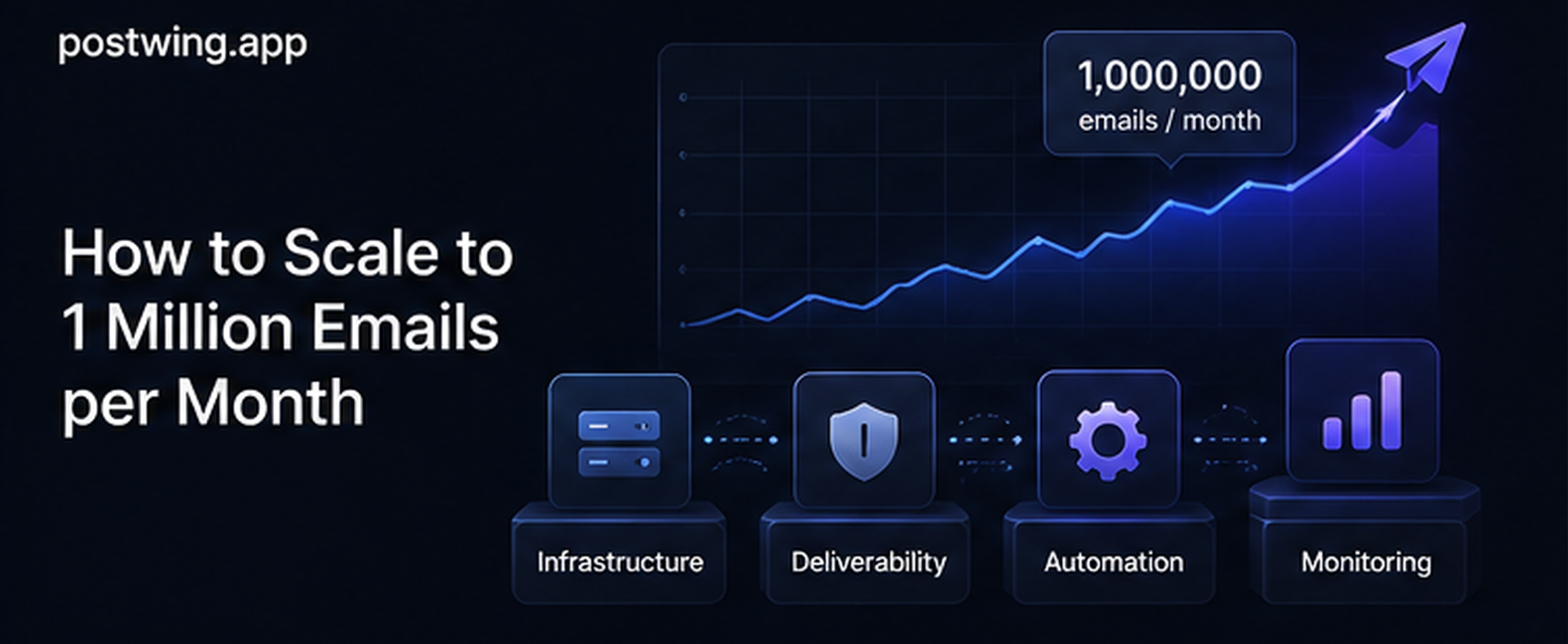
To send millions of emails per month reliably, you need four things working together: a durable queue that decouples your application from your email provider, rate limiting that respects each provider and ISP, controlled concurrency across workers, and monitoring that catches reputation problems before they cascade. Get those right and a million messages a month — roughly 33,000 a day, or about 23 emails per minute averaged out — is a routine workload, not a crisis.
The hard part is rarely the raw send volume. One million emails a month is a modest number for any serious mail platform; providers handle billions. The hard part is doing it without your code falling over during traffic spikes, without burning your sender reputation, and without losing messages when something downstream fails. That requires deliberate scalable email infrastructure rather than a for loop that calls an API.
This guide is a practical, architecture-first walkthrough for engineers and CTOs who need to send millions of emails reliably. We'll cover queueing, rate limits, concurrency, multiple domains and IPs, retries, monitoring, and what it actually costs at scale — with text-described architecture diagrams and runnable code examples. By the end you'll have a concrete blueprint you can implement incrementally.
What "1 Million Emails per Month" Actually Means
Before designing anything, translate the headline number into rates, because rates — not totals — are what break systems.
| Metric | Value (even distribution) | Realistic peak (10x burst) |
|---|---|---|
| Per month | 1,000,000 | — |
| Per day | ~33,300 | — |
| Per hour | ~1,390 | ~13,900 |
| Per minute | ~23 | ~230 |
| Per second | ~0.4 | ~4 |
Two lessons fall out of this table immediately.
First, the average rate is tiny — well under one email per second. If your traffic were perfectly smooth, a single thread could handle it. It never is.
Second, the peak is what you must design for. Real transactional traffic is bursty: a product launch, a billing run, a "your trial ends today" campaign, or a 9 a.m. wave of password resets can push you to 10x or 50x the average for short windows. Scalable email infrastructure is fundamentally about absorbing those bursts gracefully — accepting work instantly and draining it at a sustainable rate.
This is the core mental shift: decouple acceptance from delivery. Your application should hand off an email in microseconds and move on. A separate system delivers it at whatever rate is safe.
The Architecture to Send Millions of Emails
Here is the reference architecture, described as a diagram in text:
[ Your App / API ]
        |
        v  (enqueue: fast, non-blocking)
[ Durable Message Queue ]  <-- Redis / RabbitMQ / SQS / Kafka
        |
        v  (pull work)
[ Pool of Email Workers ]  --- concurrency N, rate-limited ---+
        |                                                     |
        v                                                     v
[ Email Provider / SMTP relay ]                        [ Retry / DLQ ]
        |
        v  (async webhooks: delivered, bounced, complained)
[ Event Consumer ] --> [ Metrics + Suppression DB ] --> [ Alerting ]
The flow, stage by stage:
- Application validates and enqueues a message. It does not call the email provider directly. This call must be fast and must not block a user request.
- Durable queue persists the message so it survives a crash. This is the buffer that absorbs bursts.
- Worker pool pulls messages, applies rate limiting and concurrency control, and calls the provider. Workers scale horizontally.
- Email provider / SMTP relay accepts the message and handles the actual SMTP delivery to recipient mail servers.
- Retry / dead-letter queue (DLQ) captures transient failures for backoff retries and permanent failures for inspection.
- Event consumer ingests delivery/bounce/complaint webhooks, updates metrics, and feeds the suppression list.
- Alerting watches the metrics and pages you before a reputation problem becomes an outage.
Every section below is one piece of this picture.
Queueing: The Foundation of Scalable Email Infrastructure
A queue is non-negotiable to send millions of emails. Without one, every email send is coupled to a live HTTP request to your provider — so a provider slowdown becomes a user-facing slowdown, a crash loses in-flight messages, and a burst overruns your rate limits instantly.
Why a queue first
A durable queue gives you four properties for free:
- Burst absorption — accept 10,000 emails in a second, deliver them over the next ten minutes.
- Durability — messages survive worker crashes and deploys; nothing is lost in memory.
- Backpressure — when downstream is slow, work accumulates safely instead of failing.
- Decoupling — your web tier and your delivery tier scale independently.
Choosing a queue
| Queue | Best for | Throughput | Notes |
|---|---|---|---|
| Redis (RQ/BullMQ/Sidekiq) | Most SaaS at this scale | Very high | Simple, fast, low ops; pair with persistence |
| RabbitMQ | Complex routing, priorities | High | Mature, flexible, more to operate |
| AWS SQS | Serverless / AWS-native | High | Fully managed, built-in DLQ and visibility timeout |
| Kafka | Huge volume, event streaming | Extreme | Overkill for 1M/month; great at 1B/month |
For one million emails a month, Redis-backed queues or SQS are the sweet spot. Kafka is over-engineering until you're an order of magnitude larger. Pick the boring option your team already runs.
A minimal producer/consumer in Python
The producer enqueues without ever touching the email API:
import json
import redis

r = redis.Redis(host="localhost", port=6379, db=0)
QUEUE_KEY = "email:outbound"


def enqueue_email(to: str, template: str, context: dict) -> None:
    """Called from your app. Fast, non-blocking, never sends directly."""
    job = {"to": to, "template": template, "context": context}
    r.lpush(QUEUE_KEY, json.dumps(job))
The worker pulls and sends, with the rate limiting and retries we add below:
import json
import time
import redis
import requests

r = redis.Redis(host="localhost", port=6379, db=0)
QUEUE_KEY = "email:outbound"
DLQ_KEY = "email:dead"
PROVIDER_URL = "https://api.postwing.app/v1/send"
API_KEY = "pw_live_xxx"


def send_via_provider(job: dict) -> requests.Response:
    return requests.post(
        PROVIDER_URL,
        headers={"Authorization": f"Bearer {API_KEY}"},
        json=job,
        timeout=15,
    )


def worker_loop() -> None:
    while True:
        item = r.brpop(QUEUE_KEY, timeout=5)
        if item is None:
            continue
        _, raw = item
        job = json.loads(raw)
        try:
            resp = send_via_provider(job)
            resp.raise_for_status()
        except requests.RequestException:
            r.lpush(DLQ_KEY, raw)  # retry logic refined later
        time.sleep(0.0)  # rate limiting added below


if __name__ == "__main__":
    worker_loop()
This is the skeleton. The next sections turn it into something safe at scale.
Rate Limits: Respect the Provider and the ISPs
Rate limits exist at two layers, and you must respect both to send millions of emails without getting throttled or blocked.
- Provider rate limits — your email API enforces a requests-per-second cap (often by plan). Exceed it and you get
429 Too Many Requests. - ISP rate limits — Gmail, Outlook, Yahoo and others throttle per sending domain/IP reputation. Send too fast from a cold or low-reputation sender and they defer or reject you, regardless of what your provider allows.
The second layer is the subtle one. A provider may happily accept 500 requests/second from you, but Gmail will start deferring (4xx) your mail if a new IP suddenly blasts it. Throughput is gated by reputation, not just by API limits.
Implementing a token-bucket rate limiter
A token bucket is the standard, simple algorithm: tokens refill at a steady rate; each send consumes one; when the bucket is empty, senders wait. Here's a distributed version using Redis so it works across many worker processes:
import time
import redis

r = redis.Redis(host="localhost", port=6379, db=0)

# Refill 20 tokens/sec, bucket capacity 40 (allows short bursts).
RATE = 20.0
CAPACITY = 40

_TOKEN_BUCKET_LUA = """
local key = KEYS[1]
local rate = tonumber(ARGV[1])
local capacity = tonumber(ARGV[2])
local now = tonumber(ARGV[3])
local bucket = redis.call('HMGET', key, 'tokens', 'ts')
local tokens = tonumber(bucket[1]) or capacity
local ts = tonumber(bucket[2]) or now
tokens = math.min(capacity, tokens + (now - ts) * rate)
local allowed = 0
if tokens >= 1 then
  tokens = tokens - 1
  allowed = 1
end
redis.call('HMSET', key, 'tokens', tokens, 'ts', now)
redis.call('EXPIRE', key, 60)
return allowed
"""
_take = r.register_script(_TOKEN_BUCKET_LUA)


def acquire_token(bucket_key: str = "rl:send") -> bool:
    return bool(_take(keys=[bucket_key], args=[RATE, CAPACITY, time.time()]))


def wait_for_token(bucket_key: str = "rl:send") -> None:
    while not acquire_token(bucket_key):
        time.sleep(0.02)
Call wait_for_token() immediately before each provider call in the worker. Because the bucket lives in Redis, all workers share one global rate limit — adding workers increases concurrency but not your send rate, which is exactly what you want.
Handling 429 from the provider
Even with client-side limiting, always honor the provider's Retry-After header. It's the authoritative signal:
def send_with_backoff(job: dict) -> None:
    while True:
        resp = send_via_provider(job)
        if resp.status_code == 429:
            wait = int(resp.headers.get("Retry-After", "1"))
            time.sleep(wait)
            continue
        resp.raise_for_status()
        return
Concurrency: Scale Workers Horizontally
Concurrency is how you achieve throughput; rate limiting is how you cap it safely. The two work together.
The right model to send millions of emails is many small workers behind a shared rate limiter, not one giant multithreaded process. This gives you:
- Horizontal scaling — add worker pods/containers to drain the queue faster (up to your rate limit).
- Fault isolation — one worker crashing doesn't take down delivery.
- Simple ops — autoscale on queue depth; scale to zero when idle.
Sizing the worker pool
The math is straightforward:
required_workers ≈ (target_send_rate × avg_request_latency) / 1
If each provider call takes ~200 ms and you want to sustain 20 sends/second:
workers ≈ 20 × 0.2 = 4 concurrent in-flight requests
So a handful of workers sustains a million emails a month with room to spare. You provision more not for the average but to drain bursts quickly. A common pattern: autoscale worker count based on queue depth.
| Queue depth | Action |
|---|---|
| < 1,000 | Run baseline workers (e.g. 2) |
| 1,000–10,000 | Scale to 8 workers |
| > 10,000 | Scale to 24 workers (still capped by the shared rate limiter) |
Crucially, scaling workers never lets you exceed the global rate limit, because the token bucket is shared. You drain the backlog faster without sending per-second faster than reputation allows.
Async concurrency in one process
If you prefer fewer processes, an async worker handles many in-flight requests on one thread:
import asyncio
import json
import aiohttp
import redis.asyncio as aioredis

PROVIDER_URL = "https://api.postwing.app/v1/send"
API_KEY = "pw_live_xxx"
CONCURRENCY = 8


async def send_one(session: aiohttp.ClientSession, job: dict) -> None:
    async with session.post(
        PROVIDER_URL,
        headers={"Authorization": f"Bearer {API_KEY}"},
        json=job,
        timeout=aiohttp.ClientTimeout(total=15),
    ) as resp:
        resp.raise_for_status()


async def worker(name: int, redis_client, session) -> None:
    while True:
        item = await redis_client.brpop("email:outbound", timeout=5)
        if item is None:
            continue
        job = json.loads(item[1])
        # wait_for_token() equivalent goes here before sending
        try:
            await send_one(session, job)
        except Exception:
            await redis_client.lpush("email:dead", json.dumps(job))


async def main() -> None:
    redis_client = aioredis.Redis(host="localhost", port=6379, db=0)
    async with aiohttp.ClientSession() as session:
        await asyncio.gather(
            *(worker(i, redis_client, session) for i in range(CONCURRENCY))
        )


if __name__ == "__main__":
    asyncio.run(main())
Async shines when calls are I/O-bound (they are — you're waiting on HTTP). One async worker process with 8–16 concurrent tasks easily covers this scale.
Multiple Domains and IPs: Isolate and Protect Reputation
At a million emails a month, sender reputation becomes your most valuable — and most fragile — asset. The single most effective architectural decision is stream isolation: separate your mail by type onto different domains (and, at higher volume, different IPs).
Why separate streams
Different email types have wildly different engagement and risk profiles:
- Transactional (password resets, receipts, 2FA codes) — high engagement, low complaint rate, business-critical.
- Notifications (digests, alerts) — medium engagement.
- Marketing / lifecycle (newsletters, re-engagement) — higher complaint and unsubscribe rates.
If you send all three from one domain, a marketing campaign that triggers spam complaints will drag down the reputation of your password-reset emails — and now users can't log in. Isolating streams keeps a problem in one lane from contaminating the others.
A typical setup:
| Stream | Subdomain | Why |
|---|---|---|
| Transactional | mail.yourapp.com |
Protect critical delivery |
| Notifications | notify.yourapp.com |
Medium-risk, separate reputation |
| Marketing | news.yourapp.com |
Quarantine complaint risk |
Each subdomain gets its own SPF, DKIM, and DMARC records, so reputation accrues independently.
Dedicated IPs and warm-up
Below roughly 100,000 emails a month, a shared IP pool (managed by your provider) is usually better — your volume is too low to build IP reputation on a dedicated IP, and a quiet dedicated IP looks suspicious to ISPs.
At a million a month and growing, a dedicated IP becomes viable and gives you control. But a new IP has zero reputation and must be warmed up — sending volume must ramp gradually so ISPs learn to trust it:
| Day | Daily volume (example) |
|---|---|
| 1 | 50 |
| 2 | 100 |
| 3 | 500 |
| 7 | 5,000 |
| 14 | 25,000 |
| 30+ | Full volume |
Blasting a cold IP with 33,000 emails on day one guarantees deferrals and blocks. Most teams should let their provider manage warm-up and IP pooling rather than doing it by hand.
Retries: Fail Gracefully, Never Lose a Message
Transient failures are normal at scale — timeouts, 429s, brief provider blips, ISP greylisting. The rule: retry transient failures with exponential backoff; never retry permanent ones; never lose a message.
Classify before you retry
| Failure type | Examples | Action |
|---|---|---|
| Transient | 429, 5xx, timeout, connection reset |
Retry with backoff |
| Soft bounce | Mailbox full, greylisting (4xx SMTP) |
Retry later (provider usually handles) |
| Permanent | Invalid recipient, 5xx SMTP, hard bounce |
Do not retry; suppress address |
| Bad request | 400, malformed payload |
Do not retry; alert (it's a bug) |
Retrying a hard bounce is one of the fastest ways to destroy your reputation — repeatedly hammering a dead address is exactly what ISPs penalize.
Exponential backoff with jitter
import random
import time


def retry_delays(max_retries: int = 6, base: float = 2.0, cap: float = 300.0):
    """Yield backoff delays: 2s, 4s, 8s ... capped, with jitter."""
    for attempt in range(max_retries):
        delay = min(cap, base * (2 ** attempt))
        # Full jitter avoids thundering-herd retries after an outage.
        yield random.uniform(0, delay)


def process_with_retries(job: dict) -> bool:
    for delay in retry_delays():
        try:
            resp = send_via_provider(job)
            if resp.status_code in (429,) or resp.status_code >= 500:
                time.sleep(delay)
                continue
            resp.raise_for_status()
            return True
        except requests.RequestException:
            time.sleep(delay)
    return False  # exhausted -> send to dead-letter queue
Jitter matters: after a provider outage recovers, you don't want every worker retrying in lockstep and re-creating the outage.
The dead-letter queue
When retries are exhausted, move the message to a DLQ rather than dropping it. The DLQ is your safety net and audit trail — you can inspect why messages failed, fix a bug, and replay them. A queue with no DLQ silently loses mail under load, which is the worst possible failure for transactional email.
Monitoring: See Problems Before Users Do
You cannot scale email infrastructure you can't observe. At a million a month, a 2% delivery drop is 20,000 failed emails — but it's invisible unless you measure it. Provider acceptance (250 OK / 200) tells you nothing about whether the message reached the inbox.
Metrics to track
| Metric | Formula | Healthy target | Alert threshold |
|---|---|---|---|
| Delivery rate | delivered ÷ sent | > 98% | < 95% |
| Hard bounce rate | hard bounces ÷ sent | < 0.5% | > 2% |
| Complaint rate | complaints ÷ delivered | < 0.1% | > 0.3% |
| Queue depth | pending messages | near 0 baseline | sustained growth |
| Send latency | enqueue → delivered | seconds–minutes | minutes growing |
| Retry/DLQ rate | retried or dead ÷ sent | low | spiking |
Track every one of these per sending domain and per email type. An aggregate 98% delivery rate can hide a password_reset stream at 80% because of one broken DKIM record. Segmentation is what makes monitoring actionable.
Capture events with webhooks
Delivery, bounce, and complaint events arrive asynchronously via webhooks. Acknowledge fast, process async, and feed both metrics and the suppression list:
from flask import Flask, request, jsonify

app = Flask(__name__)


@app.post("/webhooks/email")
def email_events():
    event = request.get_json(force=True)
    event_type = event.get("type")
    address = event.get("recipient")

    if event_type in ("bounced", "complained"):
        add_to_suppression_list(address)  # never email this address again

    record_metric(event_type, stream=event.get("stream"))
    return jsonify({"ok": True}), 200


def add_to_suppression_list(address: str) -> None:
    ...  # write to your suppression store


def record_metric(event_type: str, stream: str) -> None:
    ...  # increment counters in your metrics backend
Wire threshold alerts (delivery-rate cliff, complaint spike) and a zero-volume alarm so a silent pipeline failure doesn't masquerade as health.
Cost at Scale: What a Million Emails Really Costs
Cost has two components: the email provider and your own infrastructure.
Provider cost
Transactional providers price per thousand emails or via monthly tiers. At a million a month, expect a meaningful but not enormous bill:
| Pricing model | Typical range (1M/month) |
|---|---|
| Per-email metered | ~$0.10–$1.00 per 1,000 → $100–$1,000/mo |
| Flat monthly tier | Often $80–$400/mo for ~1M |
| Self-hosted SMTP (own MTA) | "Cheaper" per-email, high engineering + deliverability cost |
Self-hosting your own mail transfer agent (Postfix/Haraka on bare metal) looks cheapest on paper, but you then own IP warm-up, blocklist remediation, feedback loops, and on-call deliverability — months of engineering that adds no product value. For almost every SaaS, a managed provider is cheaper once you price in engineering time.
Your infrastructure cost
The queue + workers footprint for this scale is small:
- Redis: a small managed instance (~$15–$50/mo).
- Workers: a couple of small containers, autoscaling on burst (~$20–$80/mo).
- Webhook consumer + metrics: minimal.
Total self-run infrastructure for the plumbing is often under $150/month — the queue and workers are cheap; the value (and most of the cost) is in deliverability and reputation, which is exactly what a good provider handles for you.
Cost optimization levers
- Suppress aggressively — every email to a dead address is wasted spend and reputation damage.
- Validate at capture — reject malformed addresses before they enter the queue.
- Batch where the provider supports it — fewer API calls, lower overhead.
- Right-size workers — autoscale down when the queue is empty; don't pay for idle concurrency.
Common Mistakes When You Send Millions of Emails
1. Sending synchronously from request handlers
Calling the email API inside a user request couples your app's responsiveness to the provider's. A blip becomes a user-facing timeout, and a crash loses the message. Always enqueue, never send inline.
2. No global rate limiter across workers
Adding workers without a shared rate limiter multiplies your send rate and triggers provider 429s and ISP throttling. The rate limit must be global, not per-worker.
3. Treating "accepted" as "delivered"
A 200/250 OK means the provider queued the message, not that it reached the inbox. Without webhook-based delivery tracking you're blind to the half of the lifecycle that actually matters.
4. Mixing all email types on one domain
One spammy marketing run can tank the reputation that your password-reset emails depend on. Isolate transactional, notification, and marketing streams onto separate subdomains.
5. Retrying permanent failures
Re-sending to hard-bounced or complained addresses is the fastest route to a blocklist. Classify failures and suppress permanent ones immediately.
6. No dead-letter queue
A pipeline that drops messages when retries are exhausted loses transactional mail silently under exactly the load conditions where it matters most. Always capture exhausted jobs in a DLQ.
7. Cold-IP blasting / skipping warm-up
Pointing full volume at a brand-new dedicated IP guarantees deferrals and blocks. Warm up gradually, or let your provider manage IP pooling.
8. Aggregating metrics into one number
A single global delivery rate hides per-stream failures. Always segment monitoring by domain and email type.
Frequently Asked Questions
How do I send millions of emails per month without getting blocked?
Decouple acceptance from delivery with a durable queue, throttle sends with a shared rate limiter that respects both your provider and ISP limits, isolate email types onto separate authenticated subdomains, suppress bounces and complaints automatically, and warm up any new IP gradually. Getting blocked at this scale is almost always a reputation problem caused by sending too fast from a cold sender or repeatedly mailing bad addresses — not a raw-volume problem. A million a month is a small workload for properly designed scalable email infrastructure.
What is the best architecture for scalable email infrastructure?
The proven pattern is: application → durable queue → rate-limited worker pool → email provider → async webhook event consumer → metrics, suppression, and alerting. The queue absorbs bursts and guarantees durability; the worker pool provides horizontal concurrency; a shared rate limiter caps the send rate to what your reputation can sustain; and webhooks give you delivery visibility. This decouples your app's responsiveness from delivery and lets each layer scale independently.
How many workers do I need to send 1 million emails a month?
Far fewer than people expect. One million a month averages under one email per second, so even at a peak of a few sends per second with ~200 ms provider latency, you need only a handful of concurrent in-flight requests — roughly 4–8 workers, or a single async worker process. You provision extra workers not for the average rate but to drain bursts quickly; a shared rate limiter keeps the per-second send rate safe no matter how many workers you run.
Do I need a dedicated IP to send millions of emails?
Not at one million a month. Below roughly 100,000 a month a shared IP pool managed by your provider is usually better, because your volume is too low to build reputation on a dedicated IP — and a quiet dedicated IP looks suspicious to ISPs. Around a million a month and climbing, a dedicated IP becomes viable and gives you more control, but it must be warmed up gradually. For most teams, letting the provider manage IP pooling and warm-up is the better trade-off.
How should I handle retries when sending email at scale?
Classify failures first. Retry transient errors (429, 5xx, timeouts) with exponential backoff plus jitter; never retry permanent failures (invalid recipients, hard bounces) because re-mailing dead addresses destroys your reputation; and when retries are exhausted, move the message to a dead-letter queue rather than dropping it. Jitter prevents every worker from retrying in lockstep after an outage and re-creating it.
What does it cost to send a million emails a month?
Provider cost typically lands between roughly $100 and $1,000 per month depending on pricing model, with many flat tiers around $80–$400. Your own plumbing — a small Redis instance plus a couple of autoscaling worker containers — is often under $150 a month. Self-hosting your own MTA looks cheaper per email but adds months of deliverability engineering and ongoing on-call, so a managed provider is usually cheaper once you price in engineering time.
How do I monitor email delivery at scale?
Ingest delivery, bounce, and complaint webhooks from your provider, then compute delivery rate, hard bounce rate, complaint rate, queue depth, send latency, and DLQ rate — segmented per sending domain and per email type. Set threshold alerts (a delivery-rate cliff, a complaint spike) and a zero-volume alarm so a silent pipeline failure doesn't pass for health. Aggregate-only metrics hide per-stream failures, which are the ones that actually break user flows.
Why use a queue instead of sending email directly from my app?
A queue decouples accepting an email from delivering it. Your app enqueues in microseconds and returns, so provider slowness never becomes user-facing slowness; messages persist through crashes and deploys instead of vanishing from memory; bursts are absorbed and drained at a safe rate; and your web tier and delivery tier scale independently. Sending directly from request handlers couples your application's reliability to your email provider's — the opposite of what scalable email infrastructure should do.
Conclusion
Scaling to send millions of emails a month is an exercise in decoupling and discipline, not raw horsepower. A million a month is a modest rate — under one email per second on average — but real traffic is bursty and sender reputation is fragile, so the architecture has to absorb spikes without losing messages or overrunning ISPs.
The blueprint is consistent: a durable queue to buffer and protect against loss, a shared rate limiter that respects both provider and ISP limits, a horizontally scaled worker pool for concurrency, stream isolation across authenticated domains to protect reputation, exponential-backoff retries with a dead-letter queue so nothing is silently dropped, and per-stream monitoring with alerting so you see trouble before your users do. Each piece is implementable incrementally — start with the queue, then add rate limiting, then monitoring.
Build it this way and a million emails a month is routine, and the same design carries you to ten million with little more than more workers and a dedicated IP. The teams that struggle are the ones still sending synchronously from request handlers and discovering reputation problems only after delivery has already collapsed.
Send and Scale Transactional Email with Postwing
Postwing is a transactional email platform built for developers and SaaS companies that need scalable email infrastructure without building the deliverability stack themselves. You get a fast send API designed to sit behind your queue, generous rate limits, automatic suppression of bounces and complaints, managed IP pooling and warm-up, and webhook events for every lifecycle stage — so the queueing, rate limiting, retries, and monitoring patterns in this guide plug straight in.
SPF, DKIM, and DMARC setup, multiple sending domains for stream isolation, and per-domain delivery dashboards come built in, so you can isolate transactional from marketing reputation without operating your own MTAs. And because Postwing accepts USDC payments on Base, international founders and crypto-native teams can scale up without card requirements or traditional payment friction.
Stop wiring deliverability together by hand. Start sending millions of emails with Postwing →