Send Transactional Emails with Python
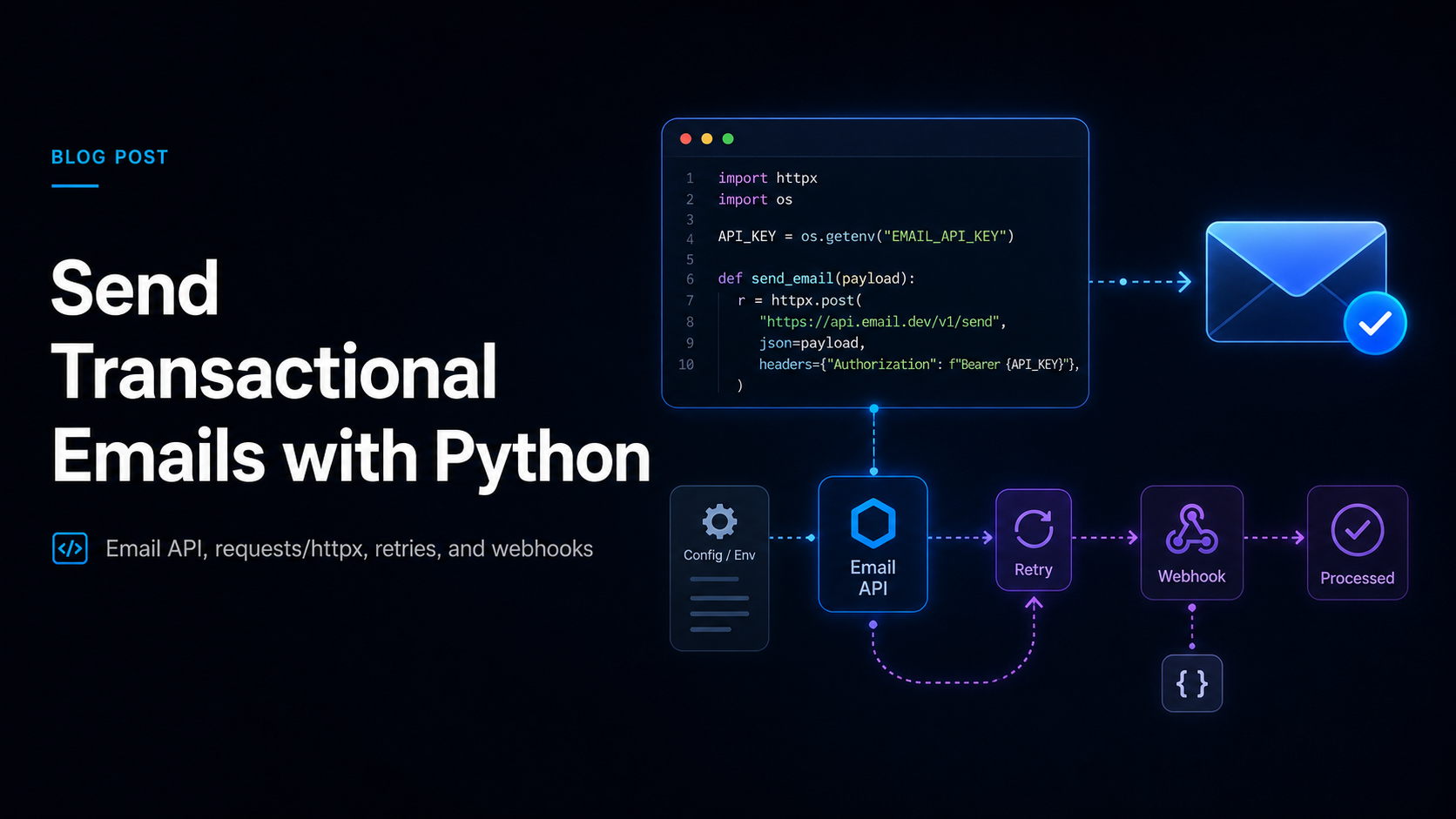
If you're building a SaaS product, an API, or any backend service in Python, sooner or later you need to send mail — password resets, receipts, OTP codes, signup confirmations, alerts. The fastest, most reliable way to do that today is with a python email api: an HTTP-based service you call with a single authenticated request, instead of wiring up raw SMTP sockets yourself. This guide is a hands-on, copy-paste-ready tutorial for sending transactional email in Python the right way — with proper configuration, error handling, retries, idempotency, and webhook processing.
We'll write real, working code using both requests and the modern async httpx client, store secrets correctly, handle failures the way production systems should, and process delivery webhooks so your app knows what actually happened to each message. Whether you're a SaaS founder shipping your MVP, an engineer hardening an existing service, or a CTO standardizing how your team sends mail, this article gives you patterns you can put into production today.
Quick answer: To send transactional email in Python, call a transactional email API over HTTPS using a client like
requestsorhttpx. Load your API key from an environment variable,POSTa JSON payload (from,to,subject,html), check the response status, retry transient5xx/network errors with exponential backoff, and use an idempotency key so retries never double-send. Process delivery events via webhooks instead of polling.
Why Use a Python Email API Instead of SMTP?
Python ships with smtplib in its standard library, so the obvious question is: why not just use that? You can send mail with smtplib, but for application-generated transactional email, an HTTP python email api is the better default for several concrete reasons.
- Less code, fewer moving parts. SMTP is a stateful, multi-step protocol (
HELO,MAIL FROM,RCPT TO,DATA,QUIT). An email API is onePOSTrequest. - Firewall-friendly. Most cloud providers block outbound port 25, and 587/465 are frequently throttled. An HTTP API uses port 443, which is essentially never blocked.
- Rich, synchronous feedback. An API returns a message ID and queue status in the response body. SMTP only tells you whether the relay accepted the handshake.
- Webhooks for delivery events. Delivered, bounced, opened, complained — pushed to your endpoint in near real time instead of you parsing bounce mailboxes.
- Built-in reliability features. Idempotency keys, suppression lists, scheduling, and per-message tracking are first-class in an API and absent from raw SMTP.
For a deeper comparison, the short version is: SMTP is a protocol you talk to; an email API is a service you call. For Python apps sending transactional mail, the service wins on speed, observability, and developer ergonomics.
When smtplib Still Makes Sense
There are narrow cases where the standard library is fine: a quick internal script, a self-hosted relay you fully control, or integrating legacy software that only speaks SMTP. But for any user-facing, deliverability-sensitive transactional email in a Python SaaS backend, reach for an HTTP API.
What You Need Before Sending
Before the first line of code, get these prerequisites in place:
- A transactional email provider account and API key. This tutorial uses a Postwing-style HTTP API; the patterns translate to any modern provider.
- A verified sending domain with SPF, DKIM, and DMARC configured. Without domain authentication, your mail lands in spam regardless of how clean your code is. Following Google and Yahoo's 2024 bulk-sender requirements, SPF + DKIM + DMARC are effectively mandatory for inbox placement.
- Python 3.9+ and a way to manage dependencies (
pip,poetry, oruv). - A secrets strategy. Environment variables at minimum; a secrets manager (AWS Secrets Manager, Vault, Doppler) for production.
Install the HTTP clients we'll use:
pip install requests httpx python-dotenv tenacity
Configuration: Load Secrets the Right Way
Never hardcode an API key in source. The single most common security incident in email integrations is a key committed to a repo. Store it in an environment variable and load it at startup.
Create a .env file (and add it to .gitignore):
# .env  — never commit this file
POSTWING_API_KEY=pw_live_xxxxxxxxxxxxxxxxxxxx
POSTWING_API_BASE=https://api.postwing.app
MAIL_FROM="Acme <no-reply@acme.com>"
Then load configuration once, in a small, importable module:
# config.py
import os
from dotenv import load_dotenv

load_dotenv()

API_KEY = os.environ["POSTWING_API_KEY"]
API_BASE = os.environ.get("POSTWING_API_BASE", "https://api.postwing.app")
MAIL_FROM = os.environ.get("MAIL_FROM", "Acme <no-reply@acme.com>")

if not API_KEY:
    raise RuntimeError("POSTWING_API_KEY is not set")
Reading the key with os.environ["..."] (not .get()) makes the app fail fast and loud at startup if the secret is missing, rather than silently sending nothing in production.
Sending Your First Transactional Email in Python
Here's the minimal end-to-end example: a synchronous send using requests. This is the simplest working transactional email Python snippet you can build on.
# send_basic.py
import requests
from config import API_KEY, API_BASE, MAIL_FROM


def send_email(to: str, subject: str, html: str) -> dict:
    response = requests.post(
        f"{API_BASE}/v1/emails",
        headers={
            "Authorization": f"Bearer {API_KEY}",
            "Content-Type": "application/json",
        },
        json={
            "from": MAIL_FROM,
            "to": to,
            "subject": subject,
            "html": html,
        },
        timeout=10,
    )
    response.raise_for_status()
    return response.json()


if __name__ == "__main__":
    result = send_email(
        to="user@example.com",
        subject="Welcome to Acme",
        html="<h1>Welcome!</h1><p>Thanks for signing up.</p>",
    )
    print("Sent:", result["id"])
Three details make this production-ready rather than a toy:
timeout=10— never make a network call without a timeout. A hung request can stall a web worker indefinitely.raise_for_status()— turns4xx/5xxresponses into exceptions instead of silently returning an error body you forget to check.- The returned
id— store this message ID. You'll correlate it with webhook delivery events later.
Adding Plain-Text and Reply-To
Always send a plain-text alternative alongside HTML. Some clients prefer it, and a missing text part can hurt deliverability and accessibility. A realistic payload looks like this:
payload = {
    "from": MAIL_FROM,
    "to": "user@example.com",
    "reply_to": "support@acme.com",
    "subject": "Your receipt #1042",
    "html": "<p>Thanks for your purchase.</p>",
    "text": "Thanks for your purchase.",
    "tags": ["receipt"],
}
Building a Reusable Email Client
Calling requests.post ad hoc all over your codebase is a maintenance trap. Wrap the provider in a small client class. A requests.Session reuses the underlying TCP connection across calls, which meaningfully reduces latency when you send many messages.
# email_client.py
import requests
from config import API_KEY, API_BASE, MAIL_FROM


class EmailError(Exception):
    """Raised when the email provider returns an error."""

    def __init__(self, status: int, body: str):
        self.status = status
        self.body = body
        super().__init__(f"Email API error {status}: {body}")


class EmailClient:
    def __init__(self, api_key: str = API_KEY, base_url: str = API_BASE):
        self.base_url = base_url.rstrip("/")
        self.session = requests.Session()
        self.session.headers.update(
            {
                "Authorization": f"Bearer {api_key}",
                "Content-Type": "application/json",
            }
        )

    def send(
        self,
        to: str,
        subject: str,
        html: str,
        text: str | None = None,
        sender: str = MAIL_FROM,
        idempotency_key: str | None = None,
    ) -> dict:
        headers = {}
        if idempotency_key:
            headers["Idempotency-Key"] = idempotency_key

        payload = {
            "from": sender,
            "to": to,
            "subject": subject,
            "html": html,
        }
        if text:
            payload["text"] = text

        response = self.session.post(
            f"{self.base_url}/v1/emails",
            json=payload,
            headers=headers,
            timeout=10,
        )

        if response.status_code >= 400:
            raise EmailError(response.status_code, response.text)

        return response.json()
Now sending mail anywhere in your app is one clean call:
from email_client import EmailClient

client = EmailClient()
client.send(
    to="user@example.com",
    subject="Reset your password",
    html="<p>Click <a href='https://acme.com/reset?t=abc'>here</a> to reset.</p>",
    text="Reset your password: https://acme.com/reset?t=abc",
)
Error Handling: Distinguish Retryable from Fatal
Not all errors are equal. The crucial skill in production email code is telling apart errors you should retry from errors you must not retry.
| Status / condition | Meaning | Retry? |
|---|---|---|
200 / 201 / 202 |
Accepted for delivery | No — done |
400 Bad Request |
Malformed payload (your bug) | No — fix the code |
401 / 403 |
Bad or revoked API key | No — fix the config |
422 Unprocessable |
Invalid recipient / suppressed address | No — handle in app logic |
429 Too Many Requests |
Rate limited | Yes — back off, honor Retry-After |
500 / 502 / 503 / 504 |
Provider-side transient failure | Yes — exponential backoff |
Network timeout / ConnectionError |
Transient | Yes — exponential backoff |
Retrying a 400 or 422 forever just hammers the provider and never succeeds. Retrying a 500 or a timeout is exactly right, because the next attempt may go through.
Retries with Exponential Backoff
Network blips and transient provider errors are inevitable at scale. Add bounded retries with exponential backoff and jitter. The tenacity library makes this clean and declarative.
# resilient_client.py
import requests
import tenacity
from email_client import EmailClient, EmailError


def _is_retryable(exc: BaseException) -> bool:
    if isinstance(exc, (requests.Timeout, requests.ConnectionError)):
        return True
    if isinstance(exc, EmailError):
        return exc.status == 429 or exc.status >= 500
    return False


class ResilientEmailClient(EmailClient):
    @tenacity.retry(
        retry=tenacity.retry_if_exception(_is_retryable),
        wait=tenacity.wait_exponential_jitter(initial=0.5, max=30),
        stop=tenacity.stop_after_attempt(5),
        reraise=True,
    )
    def send(self, *args, **kwargs) -> dict:
        return super().send(*args, **kwargs)
This retries up to five times, only for transient failures, with exponentially increasing waits plus random jitter (so a fleet of workers doesn't retry in lockstep and create a thundering herd). Fatal errors like 400 or 422 are re-raised immediately.
Why You Need Idempotency with Retries
Retries introduce a subtle danger: if a request succeeded but the response was lost to a timeout, a naive retry sends the email twice. Sending a receipt or password reset twice is a real, user-visible bug.
The fix is an idempotency key — a unique token per logical send. The provider deduplicates: if it already processed that key, it returns the original result instead of sending again.
import uuid
from resilient_client import ResilientEmailClient

client = ResilientEmailClient()

# One stable key per logical message — reuse it across retries.
key = str(uuid.uuid4())

client.send(
    to="user@example.com",
    subject="Your receipt #1042",
    html="<p>Thanks for your purchase.</p>",
    text="Thanks for your purchase.",
    idempotency_key=key,
)
Generate the key once per logical email (e.g., derived from the order ID), not per HTTP attempt — that's the whole point. A good pattern is f"receipt-{order_id}" so the same order can never be billed-emailed twice even across process restarts.
Async Sending with httpx
If your service is async (FastAPI, async workers, asyncio task queues), use httpx.AsyncClient so email sends don't block the event loop. The API shape mirrors requests.
# async_client.py
import httpx
from config import API_KEY, API_BASE, MAIL_FROM


class AsyncEmailClient:
    def __init__(self, api_key: str = API_KEY, base_url: str = API_BASE):
        self.base_url = base_url.rstrip("/")
        self._client = httpx.AsyncClient(
            base_url=self.base_url,
            headers={
                "Authorization": f"Bearer {api_key}",
                "Content-Type": "application/json",
            },
            timeout=10.0,
        )

    async def send(self, to: str, subject: str, html: str,
                   text: str | None = None, sender: str = MAIL_FROM) -> dict:
        payload = {"from": sender, "to": to, "subject": subject, "html": html}
        if text:
            payload["text"] = text

        response = await self._client.post("/v1/emails", json=payload)
        response.raise_for_status()
        return response.json()

    async def aclose(self) -> None:
        await self._client.aclose()
Using it inside an async application:
import asyncio
from async_client import AsyncEmailClient


async def main() -> None:
    client = AsyncEmailClient()
    try:
        result = await client.send(
            to="user@example.com",
            subject="Welcome to Acme",
            html="<h1>Welcome!</h1>",
            text="Welcome!",
        )
        print("Sent:", result["id"])
    finally:
        await client.aclose()


asyncio.run(main())
In FastAPI, create one AsyncEmailClient at startup (a single connection pool for the whole app) and reuse it across requests rather than constructing a new client per send.
Sending with Templates and Dynamic Data
Hardcoding HTML strings in Python doesn't scale past a couple of emails. Two clean approaches:
1. Provider-side templates. Store the template in your email provider, reference it by ID, and pass variables. This keeps copy out of your codebase and lets non-engineers edit content.
client.session.post(
    f"{client.base_url}/v1/emails",
    json={
        "from": MAIL_FROM,
        "to": "user@example.com",
        "template_id": "password-reset",
        "variables": {
            "name": "Sam",
            "reset_url": "https://acme.com/reset?t=abc123",
        },
    },
    timeout=10,
)
2. Local rendering with Jinja2. Render HTML in your app, then send the result. Good when content lives in your repo and is version-controlled with your code.
# render.py
from jinja2 import Environment, FileSystemLoader, select_autoescape

env = Environment(
    loader=FileSystemLoader("templates"),
    autoescape=select_autoescape(["html", "xml"]),
)


def render_reset_email(name: str, reset_url: str) -> str:
    template = env.get_template("password_reset.html")
    return template.render(name=name, reset_url=reset_url)
Note select_autoescape — it escapes user-supplied values by default, preventing HTML/script injection from data like display names. This matters: a user named <script>... should never break out into your email markup.
Handling Delivery Webhooks in Python
A 2xx response means the message was accepted, not that it reached the inbox. To know what actually happened — delivered, bounced, opened, complained — you process webhooks: HTTP callbacks the provider sends to an endpoint you expose.
Two non-negotiable rules for webhook handlers:
- Verify the signature. Anyone who learns your URL can POST fake events. Providers sign each payload with a shared secret; verify it before trusting the data.
- Respond fast, process async. Return
200immediately and do heavy work (DB writes, alerts) in the background, or the provider may retry and you'll process duplicates.
Here's a FastAPI webhook receiver with HMAC signature verification:
# webhook.py
import hashlib
import hmac
import os
from fastapi import FastAPI, Request, Header, HTTPException

app = FastAPI()
WEBHOOK_SECRET = os.environ["POSTWING_WEBHOOK_SECRET"].encode()


def verify_signature(payload: bytes, signature: str) -> bool:
    expected = hmac.new(WEBHOOK_SECRET, payload, hashlib.sha256).hexdigest()
    return hmac.compare_digest(expected, signature)


@app.post("/webhooks/email")
async def email_webhook(
    request: Request,
    x_signature: str = Header(default=""),
):
    raw_body = await request.body()

    if not verify_signature(raw_body, x_signature):
        raise HTTPException(status_code=401, detail="Invalid signature")

    event = await request.json()
    event_type = event.get("type")
    message_id = event.get("data", {}).get("id")

    if event_type == "email.delivered":
        mark_delivered(message_id)
    elif event_type == "email.bounced":
        suppress_address(event["data"]["to"])
    elif event_type == "email.complained":
        suppress_address(event["data"]["to"])

    return {"ok": True}


def mark_delivered(message_id: str) -> None:
    ...  # update your DB


def suppress_address(address: str) -> None:
    ...  # stop sending to this address
Two security details worth calling out: hmac.compare_digest is a constant-time comparison that prevents timing attacks (don't use == on signatures), and reading the raw body for verification matters because re-serializing the parsed JSON can change byte order and break the HMAC.
When you receive a bounce or complaint, suppress that address immediately. Continuing to mail addresses that bounce or report spam is the fastest way to wreck your sender reputation and start landing in spam folders.
Common Mistakes When Sending Email in Python
These are the failure patterns we see most often in real Python codebases:
- No timeout on the HTTP call. A missing
timeoutlets one slow request hang a worker. Always set one (timeout=10). - Hardcoded API keys. Keys in source control are a security incident. Use environment variables or a secrets manager.
- Treating
2xxas "delivered." Acceptance is not delivery. Process webhooks for the real outcome. - Retrying non-retryable errors. Looping on a
400or422wastes resources and never succeeds. Only retry429,5xx, and network errors. - Retrying without idempotency. Retries after a lost response double-send. Use an idempotency key per logical message.
- Ignoring bounces and complaints. Not suppressing bad addresses destroys deliverability over time.
- No plain-text part. HTML-only emails look worse to spam filters and break in text-only clients. Always include
text. - Unverified webhooks. An open webhook endpoint is an injection vector. Always verify the signature with constant-time comparison.
- Creating a new client/session per send. You lose connection reuse. Instantiate one client and share it.
- Skipping SPF/DKIM/DMARC. No amount of clean Python fixes a domain that isn't authenticated. Set these up first.
Putting It All Together: A Production Send Function
Here's a consolidated, realistic function for a SaaS backend — configured client, retries, idempotency, and structured logging.
# mailer.py
import logging
import uuid
import requests
import tenacity
from email_client import EmailClient, EmailError

logger = logging.getLogger("mailer")
_client = EmailClient()


def _is_retryable(exc: BaseException) -> bool:
    if isinstance(exc, (requests.Timeout, requests.ConnectionError)):
        return True
    if isinstance(exc, EmailError):
        return exc.status == 429 or exc.status >= 500
    return False


@tenacity.retry(
    retry=tenacity.retry_if_exception(_is_retryable),
    wait=tenacity.wait_exponential_jitter(initial=0.5, max=30),
    stop=tenacity.stop_after_attempt(5),
    reraise=True,
)
def send_transactional(to: str, subject: str, html: str, text: str,
                       idempotency_key: str) -> str:
    result = _client.send(
        to=to,
        subject=subject,
        html=html,
        text=text,
        idempotency_key=idempotency_key,
    )
    message_id = result["id"]
    logger.info("email_sent", extra={"to": to, "message_id": message_id})
    return message_id


def send_receipt(order_id: str, to: str, html: str, text: str) -> str:
    return send_transactional(
        to=to,
        subject=f"Your receipt for order {order_id}",
        html=html,
        text=text,
        idempotency_key=f"receipt-{order_id}",
    )
Deriving the idempotency key from a stable business identifier (f"receipt-{order_id}") guarantees that, even across retries, restarts, or duplicate task executions, an order is emailed exactly once.
Frequently Asked Questions
What is the best way to send transactional email in Python?
The best way is to call a transactional email API over HTTPS using a client like requests (sync) or httpx (async). Load your API key from an environment variable, POST a JSON payload with from, to, subject, and html, set a request timeout, check the response status, and retry transient errors with exponential backoff. This is more reliable and far less code than raw smtplib/SMTP for application-generated mail.
Should I use requests or httpx for a Python email API?
Use requests for synchronous code (Django views, Celery tasks, scripts) and httpx for async applications (FastAPI, asyncio workers). httpx also supports a synchronous client, so it's a fine single dependency for mixed codebases. Both have nearly identical APIs for POST requests, so the patterns in this guide apply to either.
Can I send transactional email with Python's built-in smtplib?
Yes, smtplib works, but it's rarely the best choice for transactional email. You'd manage a stateful SMTP connection, port-blocking issues, and get minimal delivery feedback. An HTTP email API is fewer lines of code, firewall-friendly (port 443), and returns message IDs plus webhook events. Reserve smtplib for internal scripts or legacy relays.
How do I handle retries when sending email in Python?
Retry only transient failures — 429, 5xx responses, and network timeouts — using exponential backoff with jitter (the tenacity library handles this cleanly). Never retry 400, 401, 403, or 422, which are caused by your request or config and won't succeed on retry. Crucially, pair retries with an idempotency key per logical message so a retry after a lost response never double-sends.
How do I process email delivery webhooks in Python?
Expose an HTTP endpoint (e.g., with FastAPI or Flask), read the raw request body, and verify the provider's signature using hmac with a constant-time comparison (hmac.compare_digest). Then parse the event, update your records for delivered, and suppress the address on bounced or complained. Return 200 quickly and do heavy processing asynchronously to avoid duplicate webhook retries.
How do I keep my email API key secure in Python?
Never hardcode the key in source code. Load it from an environment variable (using os.environ or python-dotenv in development) and use a dedicated secrets manager — AWS Secrets Manager, Vault, or Doppler — in production. Add .env to .gitignore, scope the key to send-only permissions if your provider supports it, and rotate it on a schedule or immediately if it leaks.
Why are my Python transactional emails landing in spam?
The cause is almost never your Python code — it's domain authentication. Make sure SPF, DKIM, and DMARC are correctly configured for your sending domain; following Google and Yahoo's 2024 sender requirements, these are effectively mandatory. Also send a plain-text part alongside HTML, suppress bounced and complained addresses promptly, and keep transactional mail on a separate subdomain from marketing campaigns.
Conclusion
Sending transactional email in Python well comes down to a handful of durable patterns, not a specific library. Call a transactional python email api over HTTPS, load secrets from the environment, always set a timeout, distinguish retryable from fatal errors, retry transient failures with backoff and an idempotency key, and process delivery webhooks with verified signatures so your app knows the real outcome of every message. Whether you use requests or httpx, those fundamentals are what separate a demo snippet from a system that delivers reliably at scale.
Get domain authentication right first — SPF, DKIM, DMARC — then layer the client code from this guide on top. Do both, and your password resets, receipts, and OTP codes will land in the inbox, on time, every time.
Start Sending Transactional Email with Postwing
Postwing is a transactional email platform built for developers: a fast, observable HTTP email API that drops straight into the Python patterns above, with idempotency keys, signed webhooks, suppression lists, and real-time delivery events out of the box. SPF, DKIM, and DMARC are handled for you, so you spend your time shipping features instead of fighting spam folders.
And because Postwing accepts USDC payments on Base, you can fund your account and start sending without a corporate card, lengthy billing setup, or currency friction — ideal for global teams and crypto-native startups.
Get your API key and send your first transactional email in minutes →